What is a scrolling window manager?
By Sheik Ahamed, who makes Findow. Checked on 31 October 2026. All guides
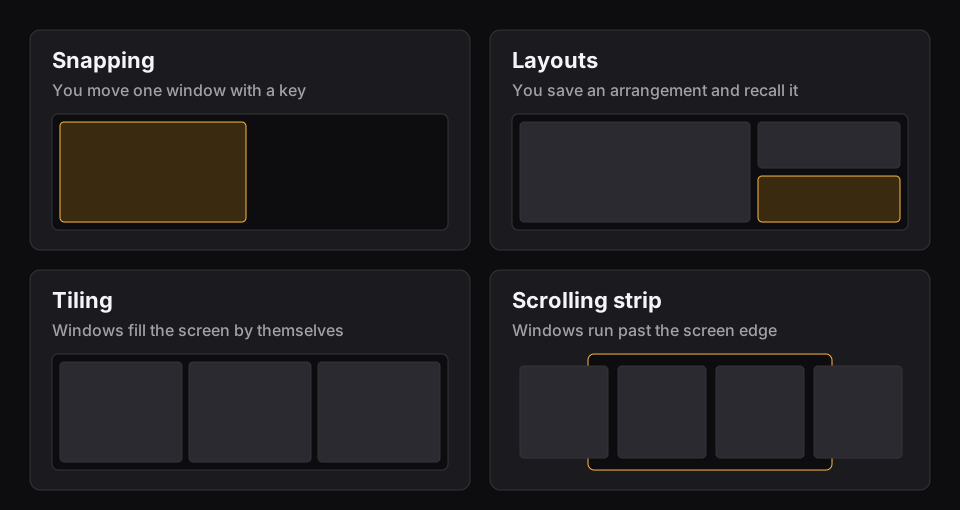
Short answer: a scrolling window manager lays windows side by side on a strip wider than your screen. A new window joins the strip and leaves the others at their size. You move along the strip to reach what's out of view.
The problem it solves
A normal tiling window manager divides your screen. One window gets all of it. Two windows get half each. Open a third and everything shrinks again, and by the sixth window your text editor is a narrow slot. Every new window is a small tax on the ones you were already using.
A scrolling manager takes the opposite view. Your screen is a viewport, like a window onto a long table. Windows sit on the table at the width you gave them. Opening one adds to the table's length and takes nothing away. niri's README puts the rule in one line: "Opening a new window never causes existing windows to resize."
The ideas you'll meet
The vocabulary is similar across most of these tools, so it's worth learning once.
- Strip: the long row of windows. Your screen shows part of it.
- Column: one slot on the strip. It usually holds one window, but it can hold several.
- Stack: two or more windows sharing a column, one above the other.
- Tabbed column: a stack where only one window shows and a tab bar picks between them.
- Width presets: set sizes such as a third, a half and two thirds. One key steps through them.
- Centering: keeping the focused column in the middle of the screen rather than wherever it landed.
- Pin: holding one column at a screen edge while the rest move past it.
What a normal day looks like
You keep your work in order. Say terminal, editor, browser, notes, chat. Moving left or right is a key press or a swipe, and the view slides. You stop thinking about where things are in terms of space on the screen, and start thinking in terms of order: chat is to the right of notes. That order stays the same all day, because nothing reshuffles when you open something new.
Two windows you want side by side just need to be neighbours, with widths that add up to the screen. A half and a half. Two thirds and a third. Drag one along the strip or press a key to move it.
Where the idea came from
The best-known versions are on Linux. PaperWM is a GNOME Shell extension that puts windows on a horizontal strip, inspired in part by paper notebooks. niri is a whole Wayland compositor built on the same idea, and its README says it's heavily inspired by PaperWM. Neither runs on a Mac. If you've read about them and want to compare, see niri vs PaperWM.
Why it's harder on a Mac
On Linux, the compositor owns the screen and can put a window anywhere. On a Mac, an app has to ask macOS to move windows, and macOS won't let a window go fully off screen. The notes for PaperWM.spoon, a free Mac version, say this directly: windows that would be off screen sit in a margin at the left or right edge, where they stay visible and clickable. Paneru, another Mac project, keeps a thin sliver of each window at the edge for the same reason.
So every Mac strip is a close copy of the idea, with a slim edge of waiting windows. It works well in practice, but don't expect pixel-for-pixel niri. Multiple monitors need more care too, because a window parked past one screen's edge can land on the next screen. PaperWM.spoon and Paneru both suggest arranging extra displays above or below the main one.
Who it suits
- Good fit: you work with five or more windows, you care about window widths, or you're on a laptop screen where tiling leaves everything too small.
- Good fit: you like the keyboard, or a trackpad swipe, more than reaching for the Dock.
- Poor fit: you want to see everything at once. A grid does that better, and a strip hides things by design.
- Poor fit: you open two windows at a time. Built-in tiling is free and enough.
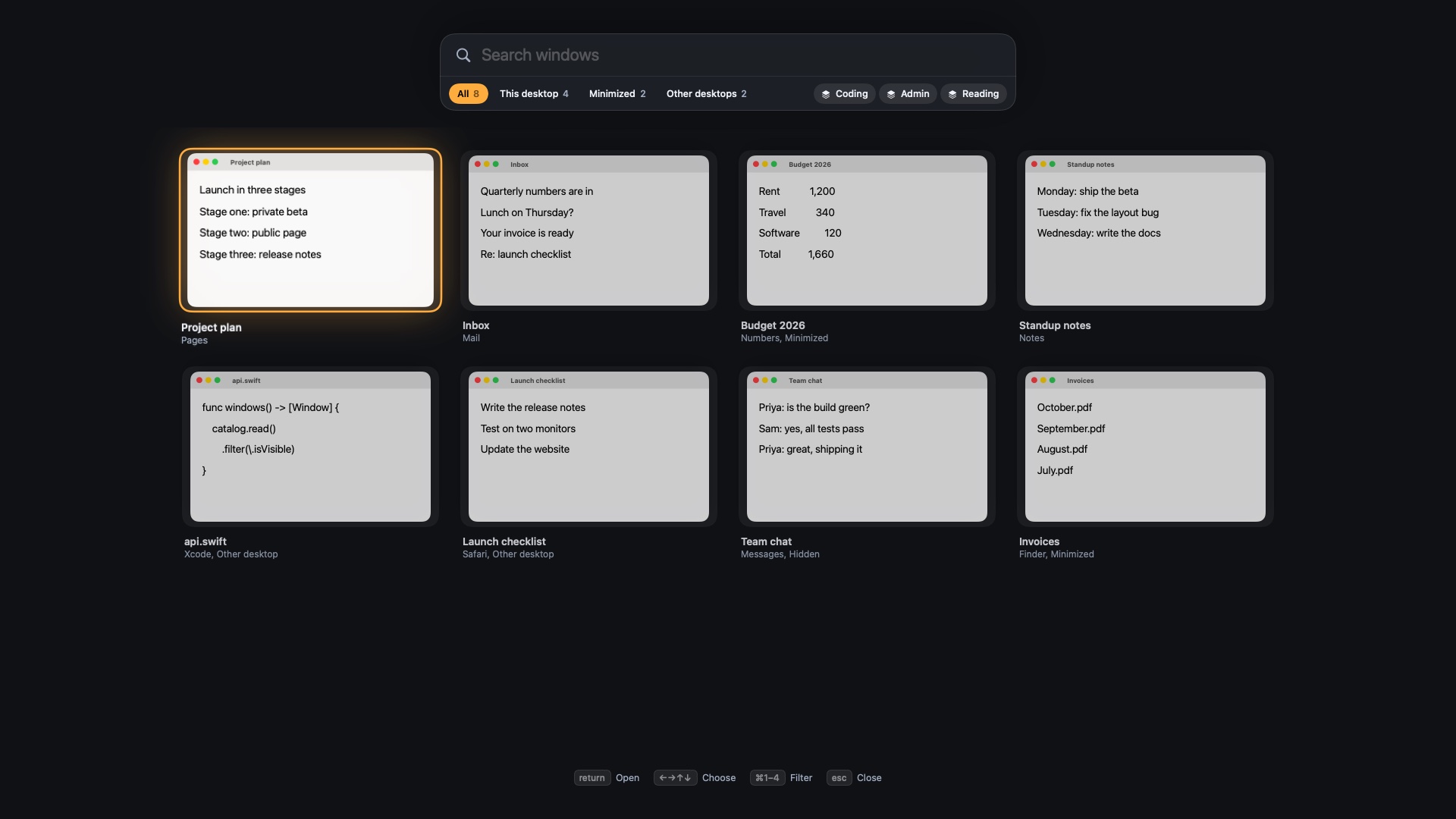
The main cost is that things you can't see are easy to forget. You need a fast way to find them, so a strip pairs well with a window switcher that can search. Our guide to the best window switchers for Mac covers those.
How the strip works in Findow
Findow, which we make, has a Scrolling strip mode. It's off until you pick it in Settings > Arrange or the menu bar. Each desktop keeps its own strip, and Findow remembers order, widths and stacks across restarts.
- Windows past the edge wait in the screen margin. A tab at the edge shows how many are there.
- Click the very edge of the screen to bring in the next one.
- Hold ⌃⌥ and use the mouse wheel to move along, or swipe with three or four fingers.
- Hold ⌃⌥ alone for a map of the strip. Click a window to go there, or drag it to reorder.
- ⌃⌥R steps through widths of 25, 33, 50, 66 and 75 percent.
It needs no SIP changes and no config file. Full-screen and fixed-size windows stay out of the strip. It isn't a port of niri or PaperWM, and it won't match a specialist on every detail. If you want the choices side by side, read our roundup of the best scrolling window managers for Mac.
Questions
What's the difference between tiling and scrolling window managers?
Tiling divides your screen, so windows shrink as you add more. Scrolling puts them on a strip wider than the screen, so they keep their size and you move along.
Is a scrolling window manager the same as a virtual desktop?
No. A desktop swaps one whole set of windows for another. A strip is one long row you slide along, and you can have a strip on each desktop.
Does niri work on a Mac?
No. niri is a Wayland compositor for Linux. Mac options that use the same idea include PaperWM.spoon, Paneru, ChainYourMac and Findow.
Do windows really go off screen on a Mac?
Not fully. macOS doesn't allow it, so Mac strips keep waiting windows in a thin margin at the screen edge.
Try Findow free for 14 days
Every feature, with no account and no card. Then $19.99 once, with a 14-day refund. For macOS 14 or later.
Download Findow