Findow vs OmniWM: the two apps that overlap most
By Sheik Ahamed, who makes Findow. Checked on 31 October 2026. All guides
Short answer: if you're on macOS 26 or later and like tuning your setup, try OmniWM first. It's free, with niri-style scrolling and Hyprland-style dwindle. Findow is worth paying for if you want saved workflows, privacy keys and a simpler app.
Looking for an alternative to OmniWM?
This is the closest comparison we've written, so it's worth being blunt. OmniWM and Findow both offer a scrolling strip, a way to see all your windows, and a window switcher. OmniWM costs nothing and Findow costs $19.99.
So you'd only switch for specific reasons. You may want to bring a whole setup back with one key, including apps that aren't open. You may want screen privacy on calls. You may find OmniWM has more than you want to learn. Or you may need to stay on an older macOS, though see the note on testing below.
Stay if OmniWM runs well on your Mac and you use its dwindle layout, Quake terminal, scratchpads or workspace bar. Findow has none of those. Findow isn't a port of niri or Hyprland either. Those are Linux projects, and OmniWM is the one chasing that feel on a Mac.
How OmniWM works
OmniWM is a free, open-source tiling manager for Apple silicon Macs, licensed GPL-2.0-only. Its site promises no subscriptions, paywalls, trial limits or usage caps. You pick a layout for each workspace. Niri mode sets windows in columns that scroll left and right, or rows that scroll up and down, and containers can be tabbed. Dwindle mode follows Hyprland: each new window splits the space, and a tile can group windows as tabs.
The feature list goes well beyond layouts. There's a zoomable overview, a command palette that searches windows, menus, clipboard history, apps and files, a Ghostty-based Quake terminal, scratchpads, Menu Anywhere, Hidden Bar and a system stats readout. Two, three and four finger swipes are supported.
Setup is more flexible than most tools here. You can use the settings window, or edit ~/.config/omniwm/settings.toml, which reloads when you save. App rules match by bundle ID, title or accessibility role. The bundled omniwmctl tool talks over a local socket, which is off until you enable it from the menu bar.
The requirements are firm: macOS 26 or later, Apple silicon, Accessibility and Input Monitoring. Screen Recording is optional and only powers overview thumbnails. Displays have separate Spaces must be on. Official releases don't need SIP disabled, are Developer ID signed and notarized, and install through Homebrew, Nix or GitHub Releases. The README notes limits too. For example, fullscreen state and the selected window aren't restored after a restart, and scratchpad memberships don't persist.
How Findow works
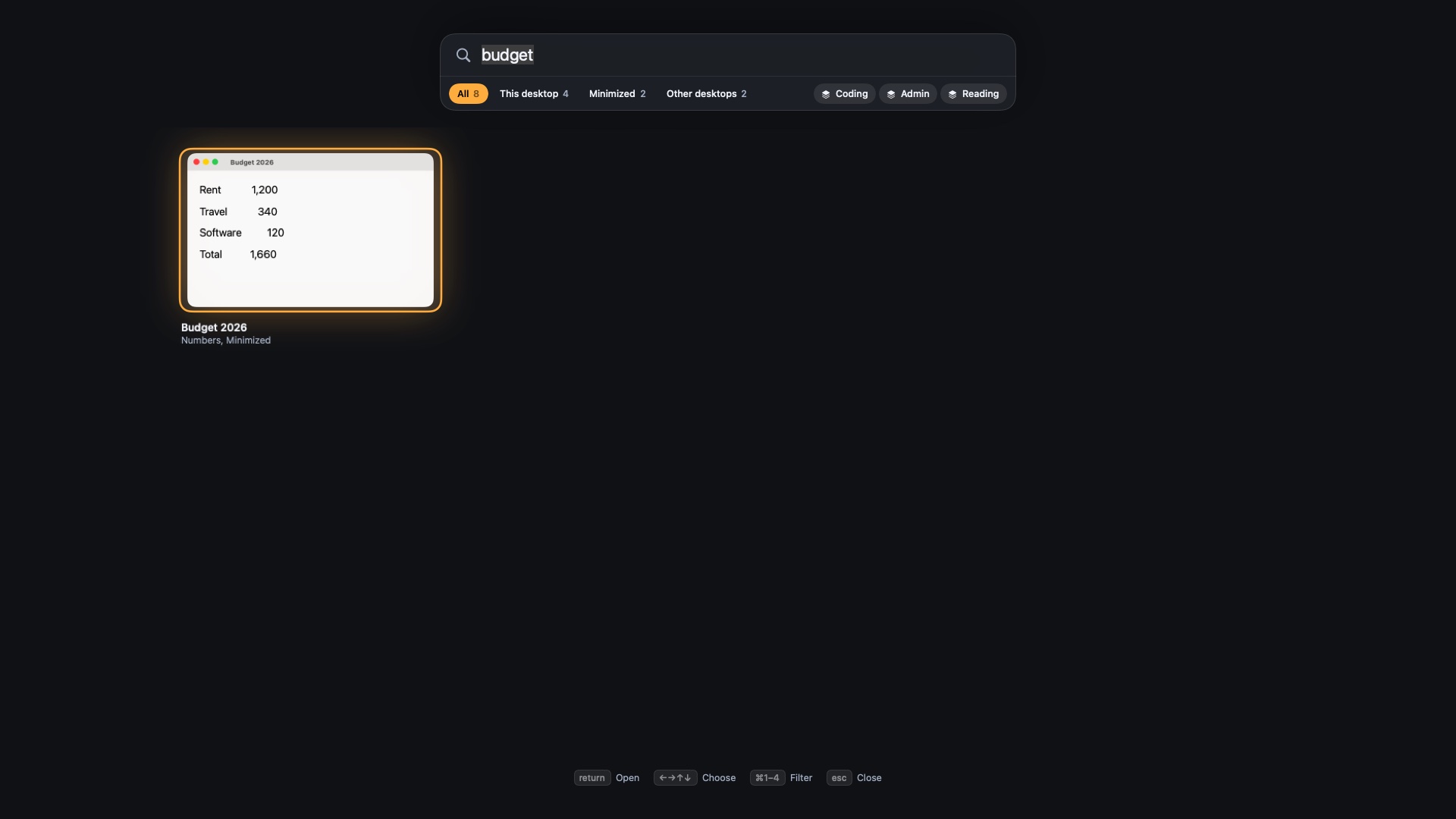
Findow starts from a different question: how do you get to the right window and back to the right setup? Hold ⌥Tab and type to find a window, or press ⌃⌥Space for the overview, which has filters for minimized windows and other desktops. Press ⌃⌥1 to ⌃⌥9 to switch workflow.
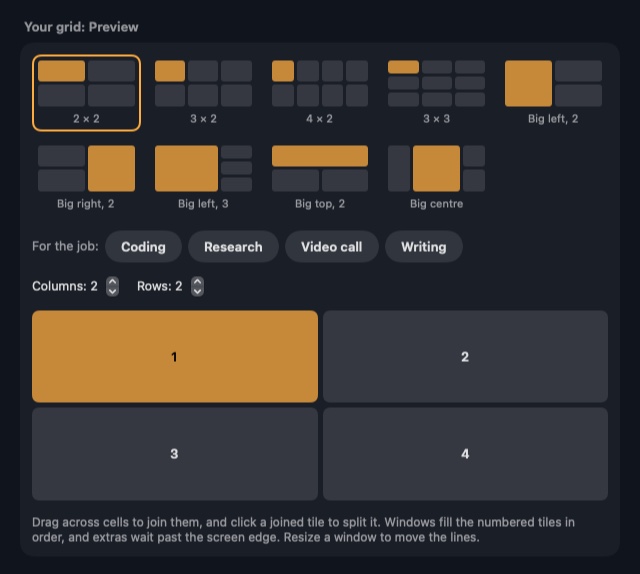
Arranging is optional. The Scrolling strip has stacks, tabbed columns, pins, widths that cycle through 25, 33, 50, 66 and 75 percent, and a focused column that can stay centred. Hold ⌃⌥ for a map of the strip. Auto arrange covers the other style, with Grid, Columns, Rows, Focus or a grid you draw yourself. You set all of this in Settings and the menu bar, as there's no config file to edit.
The core difference: a power tool or a narrower app
OmniWM wants to be your whole desktop layer. It reaches into the menu bar, terminals and clipboard, and gives you depth in return. Findow tries to do five jobs simply: find, switch, tile, scroll and hide.
The clearest gaps run in both directions. OmniWM lists nothing like Findow's workflows, which are built to reopen apps and tabs in Chrome, Arc, Brave and Edge. It also doesn't list a dimming feature like No peek, or a per-monitor-setup memory like Findow's. Findow, in turn, has no dwindle layout, no vertical strip, no scratchpads and no local socket for automation. Its findow:// links can run a command, but they can't report anything back. Hyprland-style window rules and config files don't carry over. If that's your world, Findow will feel thin.
Day to day
A day in OmniWM is keyboard and gestures. You move along columns, call up the palette for almost anything, and drop into the Quake terminal. Time spent tuning it pays back if you enjoy that.
A day in Findow involves fewer decisions. You pick Off, Auto or Strip once. You change tasks with a workflow key. On a call, ⌃⌥⇧N darkens everything but your window, and ⌃⌥⇧Z clears the screen behind it. Plug in a monitor and Findow can move to the workflow you tied to that setup.
Both apps share a Mac's underlying limits. Each has to move other apps' windows through the same system interfaces, so neither can make every app behave.
Findow and OmniWM compared
| OmniWM | Findow | |
|---|---|---|
| Price | Free, open source (GPL-2.0-only) | $19.99 once for 1 Mac, closed source |
| Layout model | Niri-style scrolling and Hyprland-style dwindle, per workspace | Grid, Columns, Rows, Focus, your own grid, or a scrolling strip |
| Configuration | Settings window plus a live TOML file | Settings and the menu bar, no config file |
| Permissions | Accessibility, Input Monitoring, optional Screen Recording | Accessibility, Screen Recording, Automation for browser tabs |
| Multi-monitor | Workspace homes, routing and a bar per display | Each display keeps its own layout, remembered per monitor setup |
| Spaces | Needs Displays have separate Spaces on | Each desktop keeps its own arrangement |
| Finding windows | Overview and command palette | ⌥Tab search and overview, with minimized windows and other desktops |
| Restoring a setup | Not listed | Workflows built to reopen apps and tabs |
| Scripting | omniwmctl over a local socket, off by default | findow:// links run commands |
| Learning curve | Moderate, with many features to explore | Short, with fewer choices |
| Requirements | macOS 26 or later, Apple silicon only | macOS 14 or later, only run on Apple silicon with macOS 27 so far |
| Support | GitHub, with four listed maintainers | Email, 14-day refund |
"Not listed" means the app's website doesn't mention the feature, not that the app can't do it. All names belong to their owners, and none of them is connected with Findow.
Which should you pick?
OmniWM
For most people on a recent macOS who like a strip, this is the first thing to try, because it's free.
- You want niri-style scrolling and Hyprland-style dwindle in one app.
- You'd like a TOML file, app rules and a CLI.
- You want extras such as scratchpads and a Quake terminal.
- You want open source, or to pay nothing.
Findow
Pay for it if the parts OmniWM doesn't list are the parts you'd use every day.
- You want a saved workflow for each task, not only a layout.
- You move between monitors and want each setup remembered.
- You share your screen and want a privacy key.
- You want fewer settings and a grid you can draw.
One caution on versions. Findow's aim is macOS 14 or later, but so far it has only been built and run on Apple silicon with macOS 27. So don't assume it's proven on an older system. Findow also doesn't warn you if OmniWM is running, so quit it yourself before you turn on Auto arrange or the strip. If neither fits, our OmniWM alternatives guide covers other routes.
Questions
Is OmniWM free?
Yes. OmniWM is free and open source under GPL-2.0-only, with no subscriptions, paywalls, trial limits or usage caps.
What does OmniWM require?
macOS 26 or later on Apple silicon, Accessibility and Input Monitoring permission, and Displays have separate Spaces turned on. Screen Recording is optional.
Is Findow a niri or Hyprland port?
No. Both are Linux projects, and Findow isn't a port of either. It has a scrolling strip, but no dwindle layout, vertical strip or config file.
Does Findow have a scrolling strip like OmniWM?
Yes, with stacks, tabbed columns and pins. It runs horizontally only, and OmniWM goes further on layouts.
Can I run OmniWM and Findow together?
You can use Findow's search and workflows beside it, but don't run Auto arrange or the strip with OmniWM active. Findow doesn't warn you about OmniWM, so quit it first.
Try Findow free for 14 days
Every feature, with no account and no card. Then $19.99 once, with a 14-day refund. For macOS 14 or later.
Download Findow