Stage Manager alternatives for Mac
By Sheik Ahamed, who makes Findow. Checked on 31 October 2026. All guides
Short answer: Stage Manager keeps one app or group in the centre. If you want groups, try Spaces first, as they're free and built in. For tidy side-by-side windows, use macOS tiling or Rectangle. Findow is a paid option that saves groups as workflows.
What Stage Manager actually does
It's worth being clear on this first, because the alternatives each solve a different part of it. According to Apple's Mac User Guide:
- The window you're working in sits in the centre of the screen.
- Recently used apps appear along the left side, and you click one to switch to it.
- You can drag an app from the left side into the centre to add it to a group, and drag it back to remove it.
- When you switch to a group, all its apps open in the centre.
Turn it on in System Settings under Desktop & Dock, or from Control Center, where it's always available. If you can't turn it on, Apple says to enable Displays have separate Spaces under Mission Control.
Before you replace it, check the settings, because a few of them change how it feels:
- Show recent apps in Stage Manager: turn this off and the list stays hidden until you move the pointer to the left edge. That gives you the space back.
- Show windows from an application: choose One at a Time to show only the most recently used window, or All at Once to show them all.
- Show Items: this decides whether desktop items appear in Stage Manager. If they're off, click the desktop to see them.
If those fix it, you can stop here. Stage Manager is free and it's already on your Mac.
Compared
| Feature | Stage Manager | Spaces | Findow |
|---|---|---|---|
| Price | Built in | Built in | $19.99 once, 1 Mac |
| Group windows | Yes, by dragging | Yes, one desktop per task | Yes, as workflows |
| Survives a restart | Not listed | Not listed | Workflows are saved |
| Reopens closed apps | Not listed | Not listed | Yes |
| One window in focus | Yes | With full screen | Clean Space and No peek |
| Shows a list of recent apps | Yes | Not listed | No |
| Find a window by typing | Not listed | Not listed | Yes |
| Tiles windows automatically | Not listed | Not listed | Yes, if you turn it on |
"Not listed" means the app's website doesn't mention the feature, not that the app can't do it. All names belong to their owners, and none of them is connected with Findow.
If you want separate groups for each task
Spaces
Spaces are the closest built-in replacement. Put your mail on one desktop and your project on another. Apple lets you create up to 16, and you move between them with ⌃ and the arrow keys or a swipe. You can also assign an app to a desktop by Control-clicking its Dock icon and choosing Options, so it always opens there. If you've never tried this, do it before you pay for anything.
Findow workflows
A workflow is a saved group of apps and window positions. Press ⌃⌥1 to ⌃⌥9 and Findow reopens what's missing and puts each window back. It's built to reopen tabs in Chrome, Arc, Brave and Edge. You can also turn on Hide other apps for a workflow, which gets you close to Stage Manager's one-group-at-a-time feel. Findow never quits an app, so unsaved work stays safe.
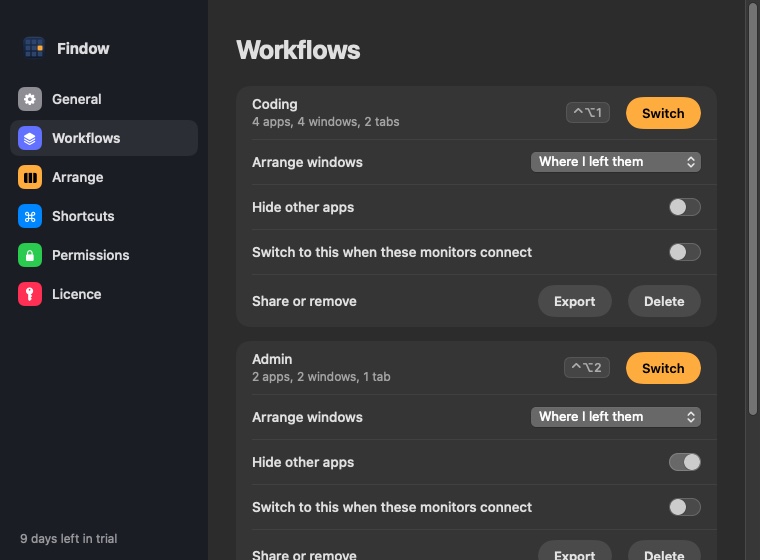
Unlike a Stage Manager group, a workflow is something you set up in advance. If you like grouping on the fly by dragging, Stage Manager is better at that. See how saving layouts and workflows works for more.
If you want tidy windows side by side
Stage Manager isn't really a tiling tool, so this may be the part you were missing. macOS has built-in tiling through the green button and the Window menu, which is enough for two windows. Rectangle is free and adds shortcuts and snap areas, and it's the pick for most people who want more. It only moves windows when you ask. AeroSpace is free too, and tiles automatically, but it uses a config file. Our guide to the best window managers for Mac compares more of them.
In Findow, ⌃⌥T tidies the current desktop once and a second press undoes it. Auto arrange and the Scrolling strip keep things in order all day, if you turn them on.
If you want to focus on one thing
Full screen is the simple answer, and it's free. Stage Manager's other appeal is a quieter screen, and Findow has two keys for that:
- Clean Space (⌃⌥⇧Z): your window fills the screen and two panels close in behind it. Everything else is out of sight, on that screen only.
- No peek (⌃⌥⇧N): everything except your window goes dark, and you can add a blur.
If you use Stage Manager to find things
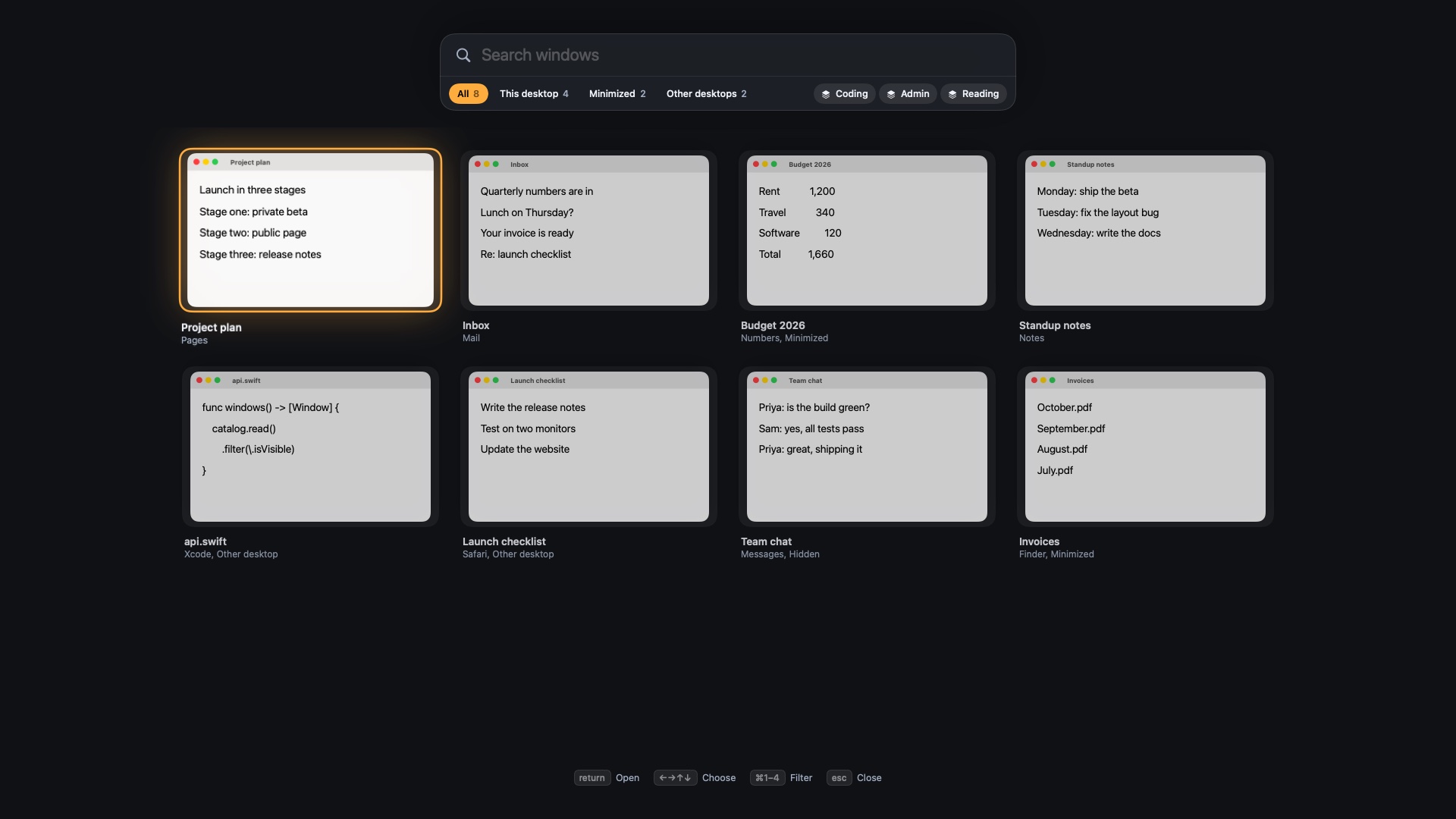
The list of recent apps is a handy way to get back to something. If that's why you use it, a window switcher may be all you need. Both the built-in shortcuts and free apps such as AltTab can replace it. In Findow, hold ⌥Tab and type part of a window title, or press ⌃⌥Space to see every window, including minimized ones and other desktops.
Can you use Findow with Stage Manager on?
Partly. Stage Manager moves windows itself, so Findow's Auto arrange and Scrolling strip pause while it's on, and Findow tells you so. If you want those modes, turn Stage Manager off. It's a good idea to treat them as one or the other.
Which should you pick?
- You like Stage Manager but it feels cramped: hide the recent apps list and stay with it.
- You want task groups for free: use Spaces.
- You want windows snapped into place for free: use Rectangle.
- You want groups that come back after a restart, plus search and tiling: try Findow.
Findow is $19.99 once for one Mac, with a 14-day free trial and a 14-day refund. It needs macOS 14 or later, and so far it's only been built and run on Apple silicon with macOS 27.
Questions
How do I turn off Stage Manager on a Mac?
Open System Settings, click Desktop & Dock, and turn it off under Desktop & Stage Manager. You can also use the Stage Manager button in Control Center.
How do I hide the recent apps in Stage Manager?
Turn off Show recent apps in Stage Manager in Desktop & Dock settings. The list then appears when you move the pointer to the left edge of the screen.
Why can't I turn on Stage Manager?
Apple says to turn on Displays have separate Spaces, in the Mission Control section of Desktop & Dock settings.
What is the best free alternative to Stage Manager?
Spaces, if you want groups of windows. Rectangle, if you want windows snapped side by side. Both are free.
Does Findow work with Stage Manager?
Partly. Auto arrange and the Scrolling strip pause while Stage Manager is on. Turn it off to use those modes.
Try Findow free for 14 days
Every feature, with no account and no card. Then $19.99 once, with a 14-day refund. For macOS 14 or later.
Download Findow