PaperWM for Mac: PaperWM.spoon and the other options
By Sheik Ahamed, who makes Findow. Checked on 31 October 2026. All guides
Short answer: PaperWM is a GNOME Shell extension, so it won't run on macOS. The nearest project is PaperWM.spoon, a free plugin for the Hammerspoon automation app. If you don't want to write Lua, a Mac app with a scrolling strip will do the same job.
Two projects with nearly the same name
This trips people up when they search. PaperWM is the GNOME Shell extension you used on Linux. It's built on top of the GNOME desktop, so it can't simply be moved to a Mac.
PaperWM.spoon is a different project that describes itself as inspired by PaperWM. It runs inside Hammerspoon, and it doesn't share PaperWM's settings or its GNOME integration. You're starting again with a similar idea, and your old setup won't transfer.
How to set up PaperWM.spoon
This is the free route, and it's the one to try first if you're happy with a small script.
- Install Hammerspoon and give it Accessibility access.
- Put PaperWM.spoon in Hammerspoon's Spoons folder.
- Open System Settings and go to Desktop & Dock. In the Mission Control section, turn off automatic rearranging of Spaces and turn on Displays have separate Spaces. The project's install steps ask for both.
- In your Hammerspoon config, load the Spoon and bind your hotkeys. The project lists default bindings you can copy.
- Call PaperWM:start(). It starts tiling your new and existing windows. PaperWM:stop() gives them back.
The Spoon covers more of the PaperWM feel than you might expect. You get focus and swap keys, width cycling, full width, stacked columns, trackpad swipes, and mouse-wheel scrolling. It uses the same words as the Linux world too, such as slurp and barf.
What the Spoon's own docs warn about
Read these before you commit, because they come from the way macOS works:
- macOS won't let a window move fully off the screen, so off-screen windows stay visible in a margin at the left or right edge.
- Dragging a window to another Space or screen is hard to detect, so the project recommends its move_window_N commands instead.
- With two monitors side by side, windows can bleed onto the next screen. Stacking your screens vertically avoids it, and WarpMouse.spoon can simulate side-by-side screens.
The features you'll miss from GNOME
Some things in PaperWM come from GNOME itself, so no Mac option gives them back in the same form.
- The workspace stack: PaperWM's three-finger swipe down opens its workspace stack. On a Mac, Mission Control is the closest thing. It's a different screen and it behaves differently.
- Per-monitor workspaces: macOS has desktops for each display, but only if Displays have separate Spaces is on.
- The scratch layer: PaperWM's floating layer shows and hides a set of windows such as chat apps. We didn't find an exact match in the Mac apps here. Floating a window is the nearest option in most of them.
Other Mac options
| App | Price | Setup | Good for |
|---|---|---|---|
| PaperWM.spoon | Free | Lua in Hammerspoon | People who like scripting |
| Paneru | Free, MIT | TOML or Lua file | A standalone tool with a config |
| OmniWM | Free, GPL-2.0 | TOML file and settings window | macOS 26 on Apple silicon |
| ChainYourMac | $19.99 once, 1 Mac | Settings window | The strip and nothing else |
| Findow | $19.99 once, 1 Mac | Settings window | A strip plus search and workflows |
"Not listed" means the app's website doesn't mention the feature, not that the app can't do it. All names belong to their owners, and none of them is connected with Findow.
Our niri guide covers OmniWM and Paneru in more depth, as the same apps suit both groups. If you never edited a PaperWM setting by hand, you may want to skip Lua altogether. If you're not sure what kind of tool you want, start with the four kinds of Mac window manager.
How your PaperWM habits map onto Findow
Findow is not a port of PaperWM, and we didn't build it from PaperWM's code. It does have a scrolling strip you can use instead. Turn it on in Settings > Arrange. These habits have a real match:
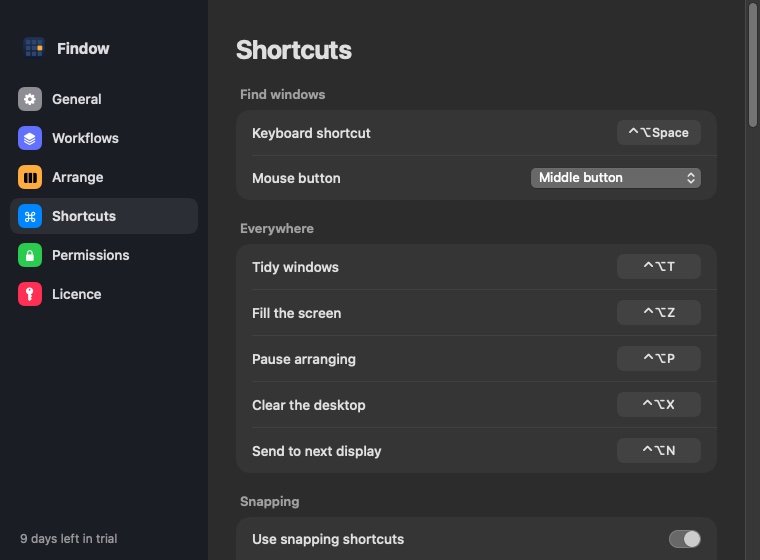
- Moving through windows: ⌃⌥← and ⌃⌥→ move focus. Moving focus onto an off-screen window brings it in.
- Swiping: Findow can use a three or four finger swipe. PaperWM users know this one, but check that macOS isn't using the same swipe for desktops. Findow warns you if it is.
- Width cycling: ⌃⌥R steps through 25, 33, 50, 66 and 75 percent.
- Slurp and barf: Stack into left column and Stack into right column pull a window into its neighbour. Pop out to left and Pop out to right send it back. Set the keys you prefer in Settings > Shortcuts.
- Tabs: ⌃⌥⇧T turns a stack into tabs.
- Floating: ⌃⌥⇧F takes one window out of the strip. It isn't a scratch layer, because it doesn't show or hide a group of windows.
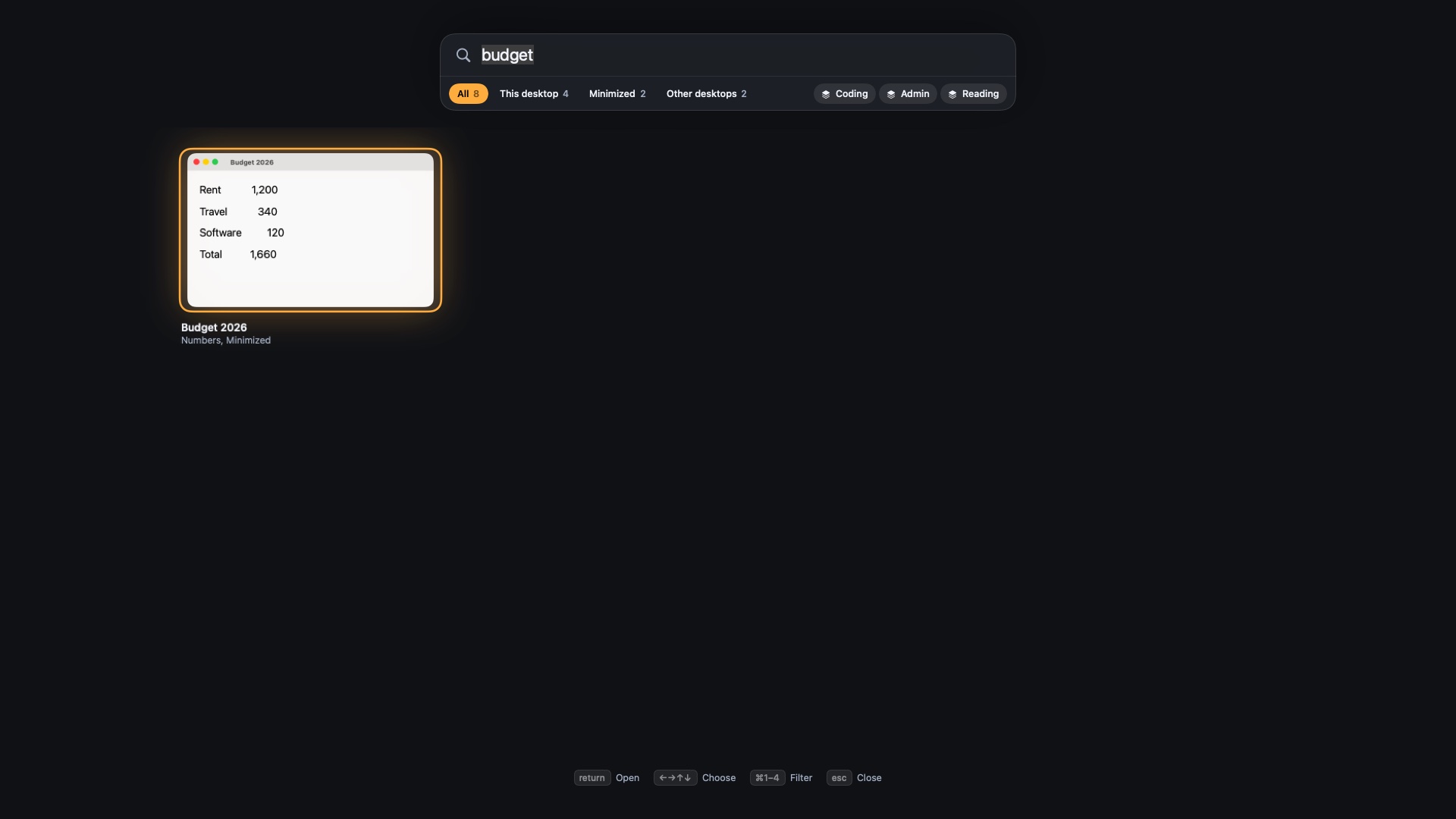
- Finding a window: hold ⌃⌥ for a map of the strip, or press ⌃⌥Space to search every window by name. That's useful when your strip gets long.
Findow doesn't have PaperWM's workspace stack, its scratch layer or GNOME's Overview. You also can't script it the way you can script a Spoon. There's no config file, and Hammerspoon users will find it far less hackable. It does respond to links such as findow://run/tidy, so a script can trigger an action, but it can't read anything back.
Findow is $19.99 once for one Mac, with a 14-day free trial and a 14-day refund. It needs macOS 14 or later, and so far it's only been built and run on Apple silicon with macOS 27. If you already run Hammerspoon, try the free Spoon first.
Questions
Is PaperWM available for Mac?
Not the GNOME extension. PaperWM.spoon is a separate Mac project inspired by it, and it runs inside Hammerspoon.
Do I need Hammerspoon for PaperWM.spoon?
Yes. It's a Spoon, which is a plugin for Hammerspoon, so you install Hammerspoon first and start it from your Hammerspoon config.
Why does a sliver of a window stay at the screen edge?
macOS doesn't allow a window to move fully off the screen, so scrolling window managers leave it in a thin margin. It isn't a bug in your setup.
Does Findow have a scratch layer?
No. You can float a single window with ⌃⌥⇧F, but Findow has no layer that shows and hides a group of windows.
Try Findow free for 14 days
Every feature, with no account and no card. Then $19.99 once, with a 14-day refund. For macOS 14 or later.
Download Findow