Niri for Mac: how to get a scrolling strip on macOS
By Sheik Ahamed, who makes Findow. Checked on 31 October 2026. All guides
Short answer: niri itself can't run on a Mac, because it's a Wayland compositor and macOS doesn't use Wayland. The scrolling strip can. OmniWM, Nehir, Paneru and Rift are free, while ChainYourMac and Findow are paid apps with settings windows.
Why there is no real niri for Mac
On Linux, niri is the compositor. It draws every window, so it decides exactly what you see and how things move. On a Mac, that job belongs to Apple's own window server, and no app can replace it. A Mac window manager is a normal app that asks other apps' windows to move and resize.
That changes what's possible. Everything below is a separate project that borrows niri's idea. None of them is a port, and that includes Findow, which we make. If you want niri itself, you need Linux.
What carries over and what doesn't
The core idea carries over well. Windows sit in columns on a strip that runs past the edge of your screen, and opening a new window doesn't shrink the others. Each monitor has its own strip.
Three things work differently on any Mac app:
- Off-screen windows: macOS won't let a window move fully off the screen. The PaperWM.spoon docs describe this limit, and its windows sit in a margin at the screen edge. Findow does the same, so expect a thin sliver at the edge rather than a clean cut.
- Animation: niri animates windows because it draws them. A Mac app has to keep moving real windows from another app, so it can't be as exact. Some apps also take a moment to catch up.
- Workspaces: niri's dynamic vertical workspaces, with an empty one always waiting at the bottom, have no direct match. macOS has desktops, called Spaces, and you can have up to 16. Apple moves between them with ⌃ and the arrow keys.
Your options on a Mac
| App | Price | Setup | macOS | Worth knowing |
|---|---|---|---|---|
| OmniWM | Free, GPL-2.0 | TOML file and settings window | 26 or later, Apple silicon | Also has a Hyprland-style layout |
| Nehir | Free, GPL-2.0 | TOML files | Not listed | Fork of OmniWM, scrolling only. No release on its page when checked, so build from source |
| Paneru | Free, MIT | TOML or Lua file | Not listed | Its virtual workspaces are labelled experimental |
| Rift | Free, Apache 2.0 | TOML file | Not listed | Several layouts, uses private macOS APIs, no SIP changes |
| PaperWM.spoon | Free | Lua in Hammerspoon | Not listed | Best if you already use Hammerspoon |
| ChainYourMac | $19.99 once, 1 Mac | Settings window | 13 or later, Apple silicon | A dedicated strip. All sales are final |
| Findow | $19.99 once, 1 Mac | Settings window | 14 or later | A strip, plus window search, workflows and tiling |
"Not listed" means the app's website doesn't mention the feature, not that the app can't do it. All names belong to their owners, and none of them is connected with Findow.
Which one should you pick?
You want the closest thing and like config files
Start with OmniWM if your Mac meets its requirements. It's free, it has a scrolling layout built around niri's columns, and settings live in a text file that reloads on save. If you want only the scrolling part, look at Nehir, though you'll need to be comfortable building it yourself. Paneru is another good free pick, and it says it reloads its config while running. If you already keep your setup in dotfiles, you'll likely be happier here than with a paid app.
You're on an older Mac or macOS
OmniWM needs macOS 26 on Apple silicon. Check the other projects' repositories before you plan around them, since Nehir, Paneru and Rift don't list a minimum on their main pages.
You don't want to manage a config
ChainYourMac and Findow both use a settings window. ChainYourMac is focused on the strip and goes deeper on that one job, and it's the better pick if the strip is all you want. Its site also lists a URL scheme, Raycast commands and a CLI. See how the two compare. Findow is the better pick if you also want to search windows and bring back whole sets of apps.
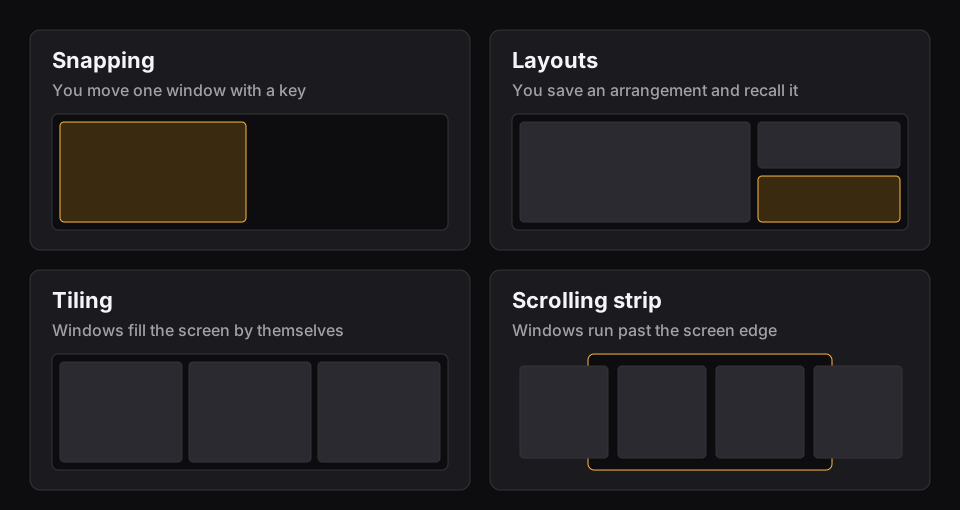
How your niri habits map onto Findow
Turn on the Scrolling strip in Settings > Arrange or from the menu bar. It's off by default. These are the default keys, and you can change all of them.
| In niri | In Findow | Key |
|---|---|---|
| Move focus between columns | Focus left, Focus right | ⌃⌥← ⌃⌥→ |
| Move focus within a column | Focus up, Focus down | ⌃⌥↑ ⌃⌥↓ |
| Move a column along the strip | Move left, Move right | ⌃⌥⇧← ⌃⌥⇧→ |
| Cycle preset column widths | Change width, through 25, 33, 50, 66 and 75 percent | ⌃⌥R |
| Maximize a column | Full width | ⌃⌥F |
| Centre a column | Center column | ⌃⌥C |
| Tabbed column | Stack or tabs | ⌃⌥⇧T |
| Jump to the first or last window | First window, Last window | ⌃⌥⌘← ⌃⌥⌘→ |
| Float a window | Float or unfloat window | ⌃⌥⇧F |
| Overview | Hold ⌃⌥ for a map of the strip, then click a window | Hold ⌃⌥ |
Three more settings will feel familiar. Centre focused keeps the focused column in the middle, with Never, When the strip overflows or Always. Focus follows mouse and Mouse follows focus are both there, and both start off. You can swipe along the strip with three or four fingers. macOS may already use that swipe to change desktops, and Findow warns you if it does.
What you give up with Findow
Findow has no config file to keep in your dotfiles, and no per-app rules beyond leaving an app alone or fixing its strip position. It can't match windows by title. It doesn't have niri's vertical workspaces, so you use Apple's desktops, and each desktop keeps its own arrangement. There are no layer-shell bars or widgets. If those are the things you love about niri, a config-driven project above will suit you better.
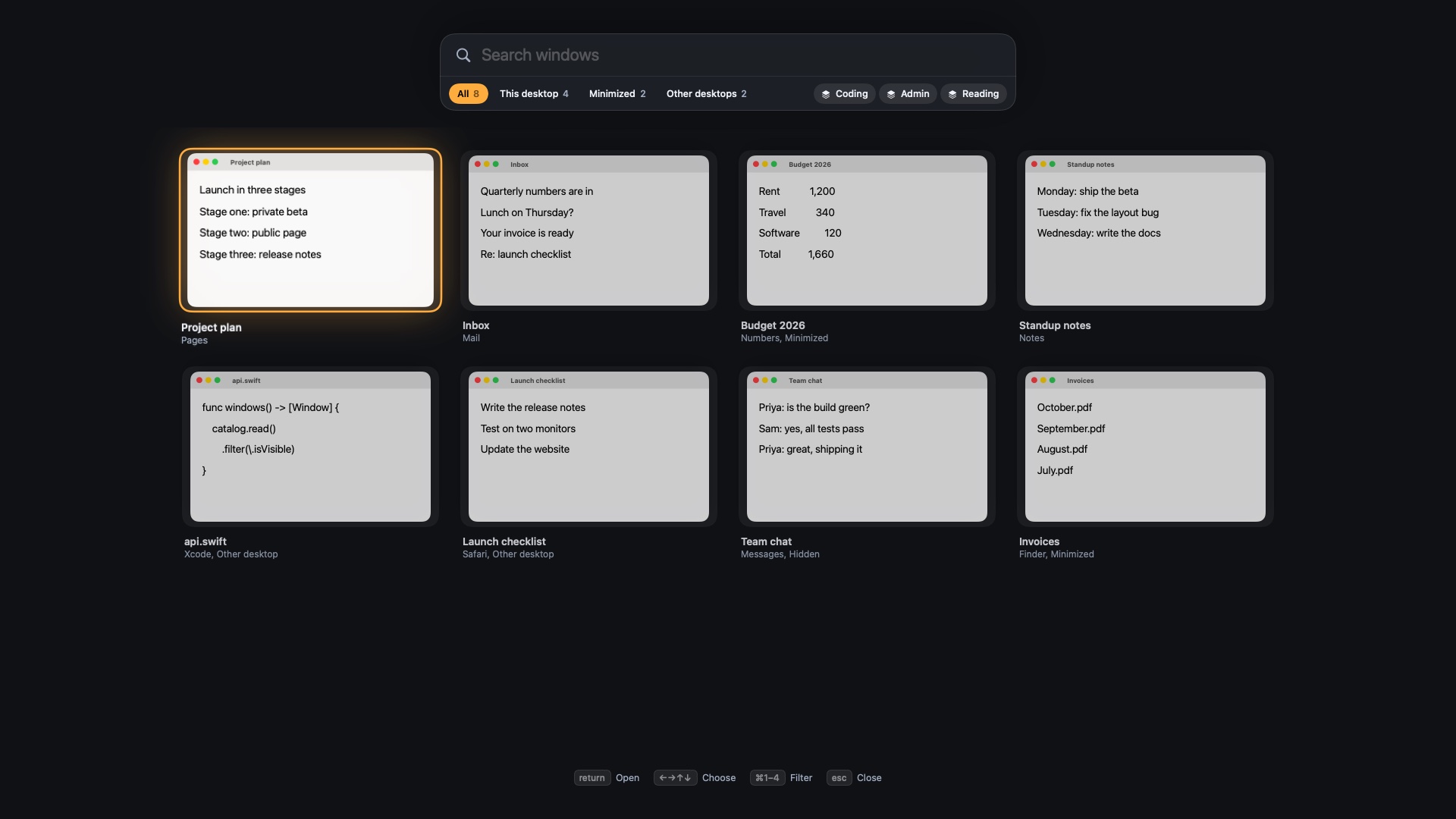
What you get instead is everything around the strip. You can switch to any window by typing part of its name, and save a set of apps as a workflow. Findow costs $19.99 once for one Mac, with a 14-day free trial and a 14-day refund. It needs macOS 14 or later, and so far it's only been built and run on Apple silicon with macOS 27.
Questions
Can I install niri on a Mac?
No. niri is a Wayland compositor and macOS doesn't use Wayland. You can run the same scrolling idea with a separate Mac app such as OmniWM, Paneru, ChainYourMac or Findow.
What is the closest thing to niri on macOS?
OmniWM and its fork Nehir follow niri's column design most closely, and both use text config files. OmniWM needs macOS 26 on Apple silicon.
Is there a free niri alternative for Mac?
Yes. OmniWM, Nehir, Paneru, Rift and PaperWM.spoon are all free to use.
Is Findow a port of niri?
No. Findow is a separate Mac app with its own scrolling strip. It shares niri's idea, not its code, config or workspaces.
Do I have to turn off SIP?
Not for Findow, ChainYourMac, Rift or OmniWM's official releases. The other projects' main pages don't mention SIP, so check their docs.
Try Findow free for 14 days
Every feature, with no account and no card. Then $19.99 once, with a 14-day refund. For macOS 14 or later.
Download Findow