How to set up PaperWM.spoon on a Mac
By Sheik Ahamed, who makes Findow. Checked on 31 October 2026. All guides
Short answer: install Hammerspoon, clone PaperWM.spoon into ~/.hammerspoon/Spoons, change two Mission Control settings, then load it in init.lua. It takes a few minutes, and it gives you a free scrolling strip on your Mac.
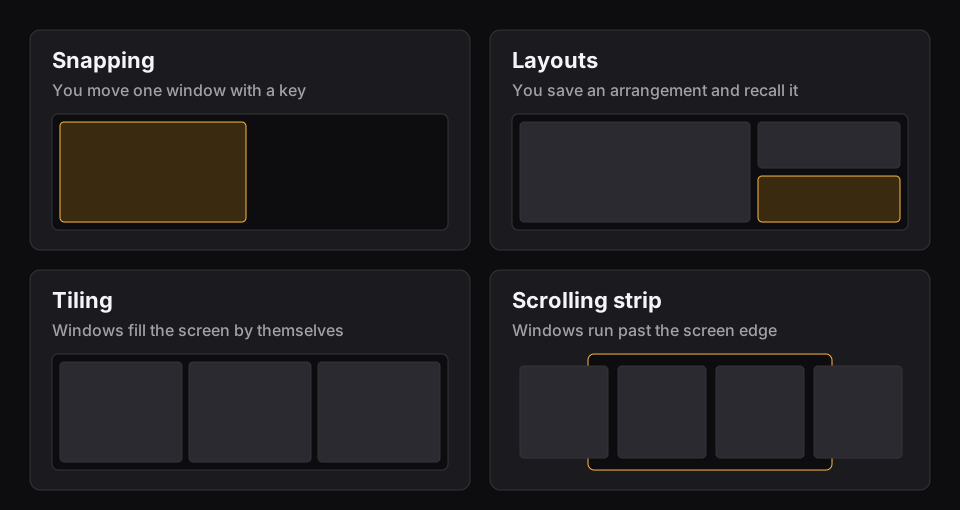
PaperWM.spoon is a separate Mac project, not the GNOME extension called PaperWM. If you aren't sure what a strip does, read what a scrolling window manager is first. Before you start, quit any other app that moves windows.
Step 1: install Hammerspoon
- Download the latest release from the link on Hammerspoon's site.
- Drag Hammerspoon.app to Applications.
- Open it and follow the prompts to allow Accessibility access.
Hammerspoon adds an icon to the menu bar. Open Config and Reload Config both live there. You'll use them a lot.
Step 2: download the Spoon
In Terminal, run this one line:
git clone https://github.com/mogenson/PaperWM.spoon ~/.hammerspoon/Spoons/PaperWM.spoon
The project also supports SpoonInstall, pointing at its release branch, if you already use that.
Step 3: change two Mission Control settings
People tend to skip this step, and then the strip misbehaves. Open System Settings > Desktop & Dock and scroll to Mission Control.
- Turn off automatic rearranging of Spaces based on recent use.
- Turn on separate Spaces for displays.
macOS may ask you to log out for the second setting to apply.
Step 4: load it
Click the Hammerspoon icon, choose Open Config, and add these three lines to init.lua:
- PaperWM = hs.loadSpoon("PaperWM")
- PaperWM:bindHotkeys(PaperWM.default_hotkeys)
- PaperWM:start()
Save, then choose Reload Config. Your windows should fall into a row. To hand them back, call PaperWM:stop().
Step 5: choose your keys
The README's sample uses ⌥⌘ as the main modifier. It's set up as a table of action names, each with its modifiers and key. For example:
focus_left = {{"alt", "cmd"}, "left"}
| Action name | What it does | README sample key |
|---|---|---|
| focus_left, focus_right | Move focus | ⌥⌘ and arrow |
| swap_left, swap_right | Move the window along | ⌥⌘⇧ and arrow |
| cycle_width | Step through widths | ⌥⌘R |
| full_width | Fill the width | ⌥⌘F |
| center_window | Center the window | ⌥⌘C |
| slurp_in | Pull a window into a column | ⌥⌘I |
| barf_out | Push a window out | ⌥⌘O |
Replace default_hotkeys in step 4 with your own table when you're ready. If you came from niri, you can also build a modal set in the style of vim. The README has an h, j, k and l example using hs.hotkey.modal.
Step 6: tune it
Set options after the load line and before PaperWM:start(). These are the ones most people change:
| Option | Example | What it does |
|---|---|---|
| window_gap | PaperWM.window_gap = 10 | Pixels around windows |
| default_width | PaperWM.default_width = 0.5 | New window width, as a share of the screen |
| window_ratios | Ratios such as 1/3, 1/2 and 2/3 | Steps for cycle_width |
| external_bar | Top offset of 40 | Room for a bar or dock |
| center_mouse | PaperWM.center_mouse = false | Stops the cursor centering on a space switch |
| swipe_fingers | PaperWM.swipe_fingers = 3 | Trackpad swipe, 0 turns it off |
| column_layout | "stacked" | Accordion columns, rather than tiled |
Swipes are off by default. Your Mac may use a three or four-finger swipe already, depending on its settings, so pick a number that doesn't clash. There's a swipe_gain setting if it feels too fast or too slow, and a negative value reverses direction.
If something goes wrong
- A window won't join the strip. Some apps report that their windows can't be maximized. Use allow_non_maximizable_window to opt them in.
- Windows show at the edge. That's expected. macOS won't let a window go fully off screen, so they wait in a margin where they stay clickable.
- Windows bleed onto another monitor. Arrange your screens vertically in System Settings. WarpMouse.spoon can make them feel side by side.
- A window ended up in the wrong space. Dragging between spaces isn't reliably detected. Use the move_window_1 to move_window_9 actions instead.
- The list seems out of date. Bind and press refresh_windows.
- Nothing happens at all. Check Accessibility for Hammerspoon, then look in the Hammerspoon console for a Lua error.
Is it the right tool for you?
It's free, and you can change almost anything, including which apps are managed and how wide each one opens. Options such as app_widths and window_filter handle that once the basics work.
That freedom has a price. You own the setup: a macOS update or a typo in init.lua is yours to sort out. If you'd like a Mac tool closer to niri with a TOML file, try Paneru. If you'd rather not keep a config at all, ChainYourMac and Findow are paid apps with settings windows. Our roundup of the best scrolling window managers for Mac compares all four.
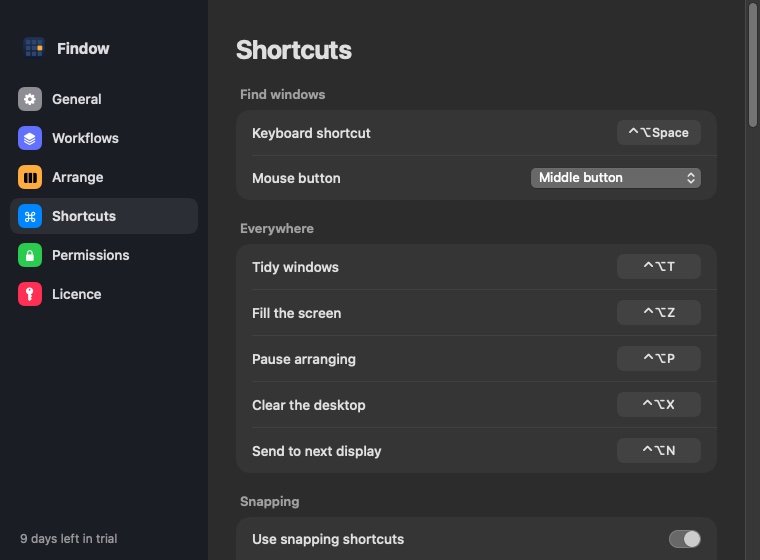
Findow, which we make, has a Scrolling strip with most of the same moves: ⌃⌥R for widths, ⌃⌥F for full width, ⌃⌥C to center, plus stacks. It can't run your Lua, and it doesn't share the Spoon's depth of options. What it adds is search across every window and workflows. It costs $19.99 once, and the 14-day trial lets you compare. Don't run both at once. Our guide to niri keys on a Mac shows the full list of strip keys.
Questions
Is PaperWM.spoon the same as PaperWM?
No. PaperWM is a GNOME Shell extension for Linux. PaperWM.spoon is a separate project that brings a similar strip to macOS through Hammerspoon.
Do I need to disable SIP for PaperWM.spoon?
Its GitHub page doesn't mention SIP, and it runs as a Hammerspoon plug-in with Accessibility access.
Why do my windows show at the screen edge?
macOS won't let windows go fully off screen, so PaperWM.spoon keeps them in a margin at the left or right.
How do I stop PaperWM.spoon?
Call PaperWM:stop() to release your windows, or remove the lines from init.lua and reload.
Can I use trackpad swipes?
Yes. Set PaperWM.swipe_fingers to 2, 3 or 4. It's 0, meaning off, by default.
Try Findow free for 14 days
Every feature, with no account and no card. Then $19.99 once, with a 14-day refund. For macOS 14 or later.
Download Findow