Findow vs yabai: a window manager you script, or one you switch on
By Sheik Ahamed, who makes Findow. Checked on 31 October 2026. All guides
Short answer: stay with yabai if you want to script every part of your desktop and control native Spaces. It's free and far deeper. Choose Findow if you want tiling without a config file or SIP changes, plus window search and saved workflows.
Looking for an alternative to yabai?
Most people who search for this aren't unhappy with what yabai can do. They're tired of what it asks for. The usual reasons to look elsewhere are a config that needs care after each macOS update, a second tool for hotkeys, or a work Mac where changing SIP isn't an option.
Switching makes sense if you've stopped editing your setup and only use a small part of it. It also makes sense if you want windows tiled and nothing else from the tool. Stay if your config is doing real work: signals that react to events, scripts that query window state, or a status bar fed by yabai's output. Findow can't replace any of that.
How yabai works
yabai is a tiling window manager based on binary space partitioning. Each new window splits the space of an existing one, so the screen divides into smaller and smaller regions. A space can also use a stack layout, where windows sit on top of each other, or float.
You drive it through a command line. yabai -m commands change windows, spaces and displays. Queries return JSON you can filter with jq. Rules decide how each app is treated, and signals run a command when something happens, such as a space changing. That's the real appeal: your desktop becomes something you can program.
It has no hotkeys of its own. The project suggests pairing it with skhd, a separate tool by the same author, or other software of your choice.
The cost is setup. yabai needs Accessibility access, and Screen Recording only for window animations. It runs with SIP on, but its wiki lists features that need SIP partly disabled. These include moving, creating and destroying spaces, window transparency, removing shadows, scratchpad windows, sticky windows and picture-in-picture. On Apple silicon that means a recovery-mode change and an nvram boot argument. The author makes no recommendation either way. Its README lists Intel Macs from macOS 11 and Apple silicon from macOS 12.
How Findow works
Findow is a Mac app with a menu bar panel and a Settings window. There's no config file. Nothing tiles until you ask. Press ⌃⌥T to tidy the windows on your desktop once, and press it again to undo. If you want windows managed all day, turn on Auto arrange or the Scrolling strip.
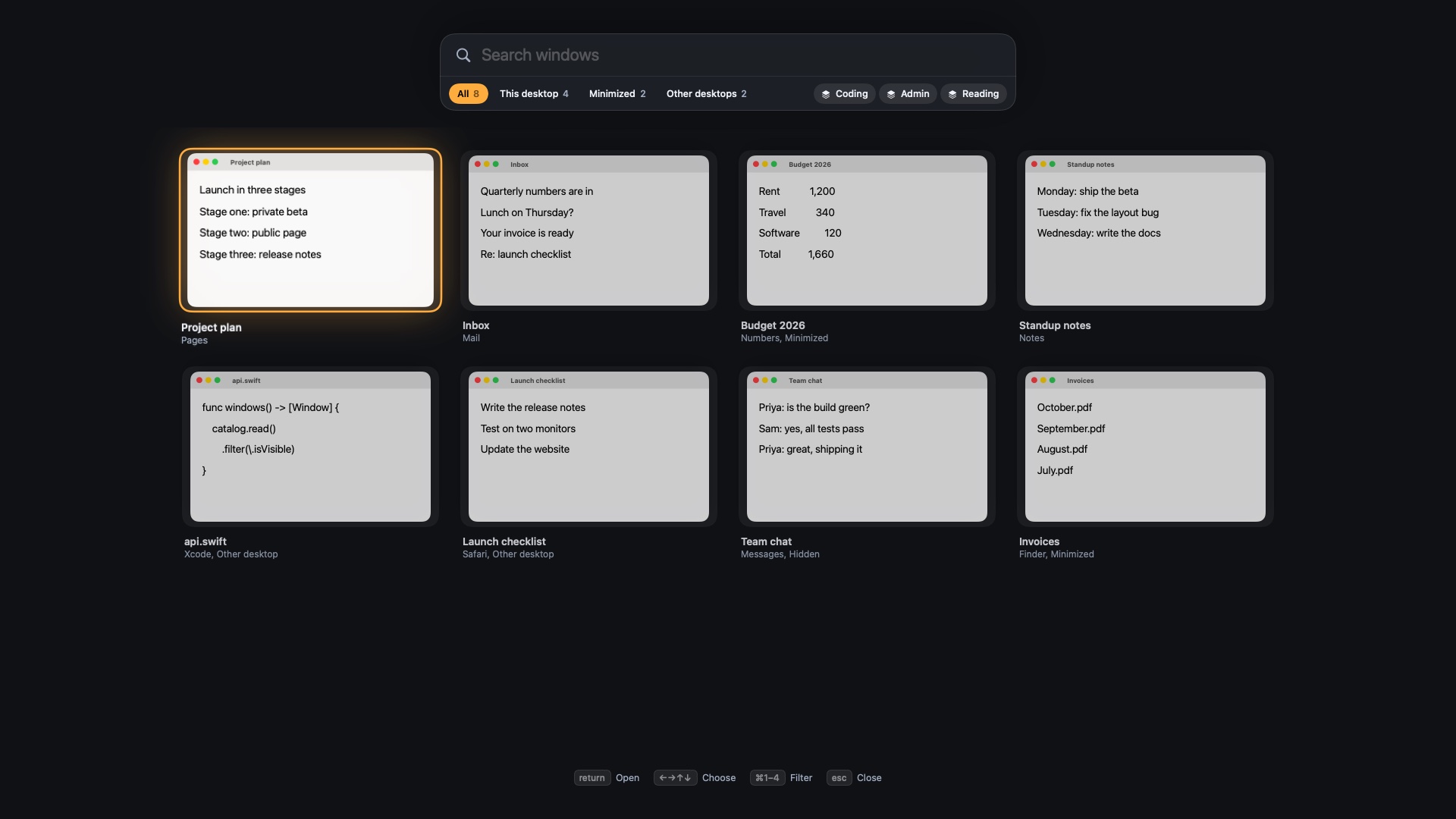
Tiling is only part of the app. ⌥Tab and ⌃⌥Space find any window by typing, including minimized ones and those on other desktops. Workflows save a set of apps and window positions under ⌃⌥1 to ⌃⌥9, and they're built to reopen tabs in Chrome, Arc, Brave and Edge. No peek and Clean Space hide your screen on calls.
The core difference: a toolkit or a finished app
yabai gives you parts and lets you build. Findow gives you a small set of decisions and has already made the rest. Neither is better in the abstract, but they want different things from you.
With yabai, almost anything you can describe can be built, if you're willing to write it. With Findow, you get the behaviours we shipped. Findow does have a small automation surface: findow:// links can run a command, switch workflow, set a layout or change mode. But you can't query windows, and nothing fires when an event happens. If your plan involves the word "signal", stay with yabai.
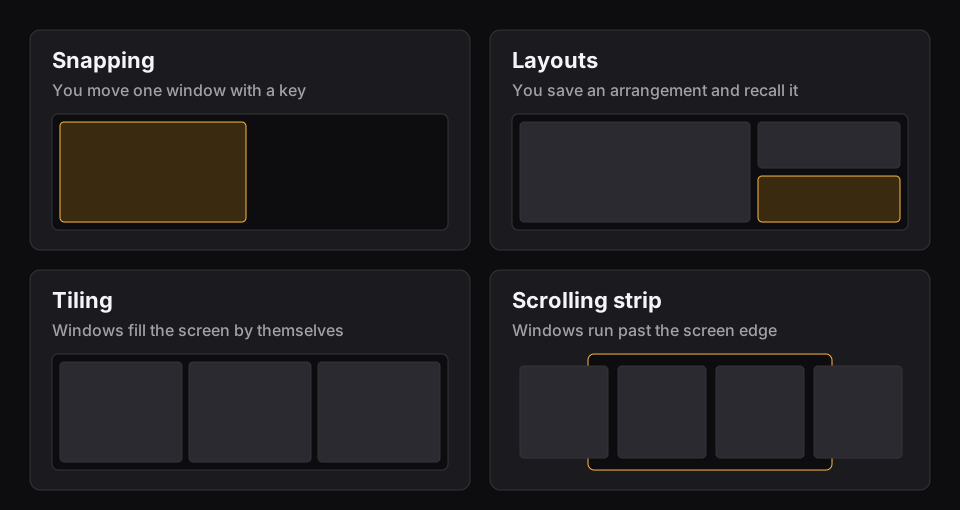
The tiling itself differs too. Findow has no binary tree. Its Auto arrange uses Grid, Columns, Rows, Focus or a grid you draw, so windows land in fixed tiles rather than splitting one another. Read the main kinds of Mac window manager if you're not sure which model you want.
Day to day
A yabai morning is mostly invisible once it's tuned. Keys you chose move focus, windows split where you expect, and your scripts keep things tidy. The friction comes in bursts, such as after a macOS update or when a new app behaves badly and needs a rule.
A Findow day is more about getting around. You tap ⌥Tab to jump back, or hold it and type a few letters. You press a workflow key when you change task. Windows that don't fit wait past the screen edge, with a tab showing how many. Findow learns each app's smallest size and makes room for it, so a stubborn app doesn't need a rule. If something goes wrong, ⌃⌥U steps back through your arrangements and ⌃⌥P pauses everything.
You'd lose keyboard depth. Findow has focus, move and swap commands, and every shortcut can be changed, but there are no binding modes or chained commands.
Findow and yabai compared
| yabai | Findow | |
|---|---|---|
| Price | Free, open source (MIT) | $19.99 once for 1 Mac, closed source |
| Layout model | Binary space partitioning, plus stack and float | Grid, Columns, Rows, Focus, your own grid, or a scrolling strip |
| Configuration | Commands in a config file | Settings and the menu bar, no config file |
| SIP | Optional, but some features need it partly disabled | No changes |
| Permissions | Accessibility, Screen Recording for animations only | Accessibility, Screen Recording, Automation for browser tabs |
| Multi-monitor | Needs Displays have separate Spaces on | Each display keeps its own layout, remembered per monitor setup |
| Spaces | Controls native Spaces, some actions need SIP changes | Each desktop keeps its own arrangement, can't create or move desktops |
| Scripting | Full CLI, JSON queries, rules and signals | findow:// links run commands, no queries or events |
| Hotkeys | Separate tool, such as skhd | Built in, all changeable |
| Learning curve | Steep, and you build your own setup | Short, it works once you pick a mode |
| Minimum macOS | 11 on Intel, 12 on Apple silicon | 14, only run on Apple silicon with macOS 27 so far |
| Support | GitHub | Email, 14-day refund |
"Not listed" means the app's website doesn't mention the feature, not that the app can't do it. All names belong to their owners, and none of them is connected with Findow.
Which should you pick?
yabai
It's the right tool if you enjoy owning your setup, and it's free.
- You want to script windows, spaces and displays from the command line.
- You already rely on rules, signals or JSON queries.
- You want BSP tiling on an Intel Mac or an older macOS.
- You're happy to change SIP for the features that need it.
Findow
It suits you if you want the result without the upkeep, and you'd use more than the tiling.
- You can't or won't change SIP, and don't want a config file.
- You want window search and tiling in one app.
- You want a saved workflow for each kind of work.
- You move between monitors and want layouts remembered for each setup.
One practical note. Findow warns you about some other window apps, but yabai isn't on that list. Quit yabai yourself before you try Auto arrange or the strip, or the two will fight over the same windows. Findow is free for 14 days, so you can run it for a normal week and keep your yabai config untouched in case you go back. Findow is also young, at version 0.1, and has only been built and run on Apple silicon with macOS 27.
Questions
Does Findow need SIP disabled?
No. Findow doesn't need any SIP changes. It uses Accessibility, Screen Recording and, for browser tabs, Automation permission.
Does yabai need SIP disabled?
Not to run. Its wiki lists features that need SIP partly disabled, including moving and creating spaces, transparency, and sticky windows.
Can Findow do binary space partitioning like yabai?
No. Findow's Auto arrange uses Grid, Columns, Rows, Focus or a grid you draw. It also has a scrolling strip, but no BSP tree.
Can I script Findow like yabai?
Only a little. findow:// links can run a command, switch workflow, set a layout or change mode. There are no queries, rules files or signals.
Can I run yabai and Findow together?
You can use Findow's search and workflows beside yabai. Don't run Auto arrange or the strip at the same time. Findow won't warn you about yabai, so quit it yourself.
Try Findow free for 14 days
Every feature, with no account and no card. Then $19.99 once, with a 14-day refund. For macOS 14 or later.
Download Findow