The best window switchers for Mac in 2026
By Sheik Ahamed, who makes Findow. Checked on 31 October 2026. All guides
Short answer: AltTab is the best free switcher. Witch is the best for tweaking. Findow is our pick if you want switching, workflows and tiling in one app. We make Findow, so weigh that last one as you see fit, and try each before paying.
What macOS gives you for free
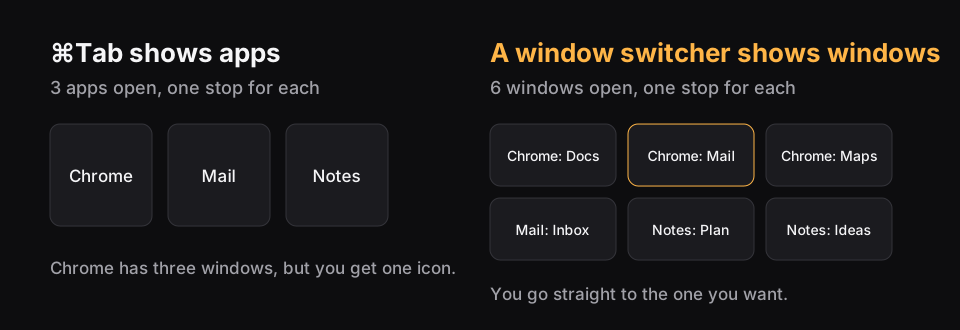
⌘Tab switches apps, not windows. ⌘` moves between windows of the app you're in. Mission Control (⌃↑) shows your windows, and ⌃↓ shows all windows of the front app. None of these lets you jump straight to one window out of many by typing. That gap is why this kind of app exists. Our guide to switching windows covers all the built-in methods.
Compared
| App | Price | Search | Minimum macOS | Best for |
|---|---|---|---|---|
| AltTab | Free | Pro only | 12 | A free Windows-style switcher |
| AltTab Pro | $9.99 once | Yes | 12 | Adding search to AltTab |
| Witch | $14 | Yes | 10.13 | Deep configuration |
| Contexts | $9.99 | Yes | Lists Ventura to Sequoia | Fast Search, if it runs on your Mac |
| Raycast | Free to start | Not listed | See site | People who already use it |
| Findow | $19.99 once | Yes | 14 | Switching plus workflows and tiling |
What makes a good window switcher
We looked at the same things for each app. Here's what matters and why.
- Coverage. A good switcher reaches minimized and hidden windows, and windows on other desktops. Otherwise you still end up hunting through the Dock.
- Search. With ten windows open, pressing Tab is fine. With thirty, typing is faster.
- Speed. It should appear without a pause. Test this on your own Mac, with your usual number of windows.
- Support. Window switchers rely on macOS details that change. Check that the app lists your version.
- Licence. Check how many Macs you get, and whether updates are included for good or for a set time.
How to choose
AltTab: best free option
It shows every window, including minimized ones and those on other Spaces, and it's open source. Search needs Pro. For most people who just want Alt-Tab from Windows, this is the answer.
Witch: best for tinkerers
You can run several switchers at once, each with its own sort order and layout, and it can switch to tabs as well as windows. It costs $14 and includes at least a year of updates, and the licence never expires.
Contexts: check it first
Its Fast Search is still a great idea. Its status is unclear on the newest macOS, so use the trial.
Raycast: if it's already installed
Its window commands move and resize windows. For switching, check that it does what you need before you add it to your setup.
Findow: best if you want fewer apps
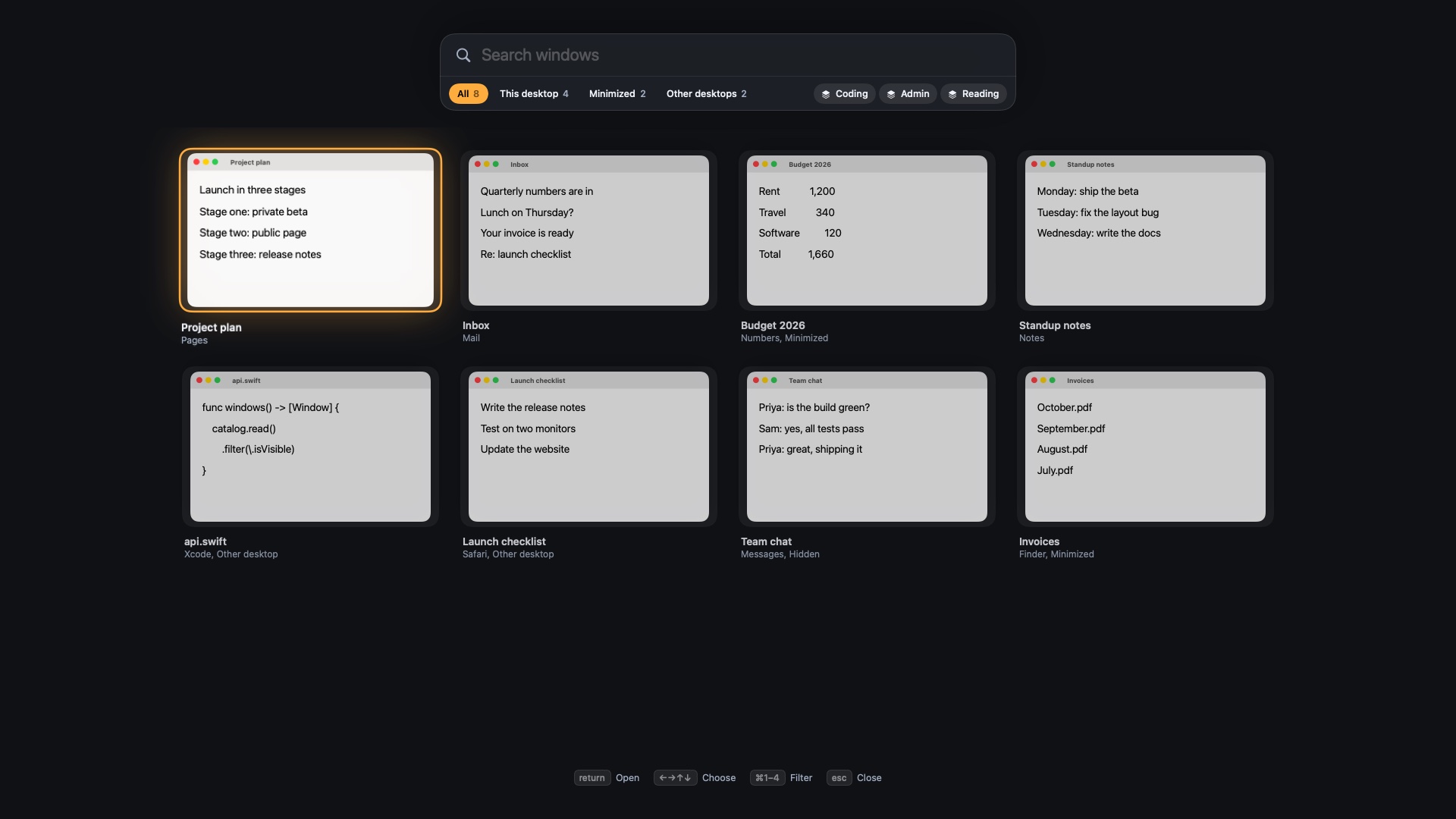
Tap ⌥Tab to jump back. Hold it to see a live map of each screen, then type to search. Beyond switching, it restores workflows and tiles windows. It costs more than a switcher-only app, and a specialist may still go further at switching alone.
Which one fits how you work?
- You came from Windows. Install free AltTab and map it to the shortcut you remember. See every built-in way to switch first, in case ⌘` is enough.
- You keep dozens of windows open. Pick something with search: AltTab Pro, Witch or Findow.
- You minimize a lot. Use a switcher that shows minimized windows. Our minimized windows guide covers the built-in options too.
- You use a mouse. Check for mouse button support. Findow's overview opens from the middle or a side button.
- You switch between projects. A window switcher may not be the real fix. Try saved workflows.
- You run several window apps. Findow can replace some of them.
Permissions to expect
Most switchers ask for Accessibility so they can focus windows. Those with live previews usually ask for Screen Recording as well. That sounds alarming, but macOS uses the same permission for anything that reads window contents. Check each app's privacy statement. Findow's previews stay on your Mac, and it has no account.
If an app can't show thumbnails after an update, open System Settings, go to Privacy & Security, and turn its permission off and back on.
How we built this list
We read each app's own website on the date at the top of this page, and took prices, requirements and features from there. Where a site doesn't mention something, we say so rather than guess. We included apps that are on sale and have a clear purpose, and left out those that their own comparison pages mark as inactive.
We make Findow, so we can't claim to be neutral. That's why we've put free AltTab first, and why each entry says who it's for rather than ranking everything on one score. The right way to test a switcher is on your own Mac. All the paid apps here offer a trial or a free tier, so you can try two side by side before you spend anything.
Prices and features come from each app's own website or App Store page. Raycast's page doesn't mention window search, which doesn't mean it can't be done. All names belong to their owners, and none of them is connected with Findow.
Questions
What is the best free window switcher for Mac?
AltTab. It's free, open source and shows every window, including minimized ones and those on other Spaces.
Why doesn't ⌘Tab switch windows on a Mac?
⌘Tab switches between apps, not windows. Use ⌘` to move between windows of the app you're in, or install a window switcher to see every window at once.
Can a window switcher show minimized windows?
Yes. AltTab and Findow both show minimized windows. ⌘Tab doesn't restore them by itself.
Do window switchers need special permissions?
Usually, yes. Findow asks for Accessibility to open and move windows, and Screen Recording to show previews and find windows on other desktops. Nothing is recorded, and it all stays on your Mac.
Try Findow free for 14 days
Every feature, with no account and no card. Then $19.99 once, with a 14-day refund. For macOS 14 or later.
Download Findow