AltTab alternative for Mac: when to stay, when to switch
By Sheik Ahamed, who makes Findow. Checked on 31 October 2026. All guides
Short answer: if you only want Windows-style Alt-Tab on your Mac, keep AltTab. It's free, open source and very good at that one job. Consider Findow if you also want to save workspaces, tile windows and hide your screen on calls, and would rather have one app than three.
What AltTab does well
AltTab shows every window, not every app. That includes minimized windows, hidden windows and windows on other Spaces, with a badge showing where each one is. You can preview the selected window at full size before you switch to it.
The core app is free and its code is on GitHub under GPL-3.0. It runs on macOS 12 or later, on Intel and Apple silicon. AltTab Pro costs $9.99 once and adds search by typing, more switcher styles, auto-size and more shortcuts. New installs get 14 days of Pro free, and the app stays free afterwards.
Why people look for an alternative
- They want a window switcher and a way to bring a whole setup back, in the same app.
- Switching gets them to the right window, but the desktop is still a mess once they're there.
- They already pay for several small utilities and want fewer.
- They use a mouse and want a button to open the switcher.
Findow and AltTab at a glance
| Feature | AltTab (free) | AltTab Pro | Findow |
|---|---|---|---|
| Every window, including minimized and other desktops | Yes | Yes | Yes |
| Search by typing | No | Yes | Yes |
| Workflows that reopen apps and tabs | Not listed | Not listed | Yes |
| Tile windows | Not listed | Not listed | Yes |
| Scrolling strip | Not listed | Not listed | Yes |
| Open source | Yes | Binaries are licensed, code is GPL-3.0 | No |
| Minimum macOS | 12 | 12 | 14 |
| Price | Free | $9.99 once | $19.99 once |
"Not listed" means the app's website doesn't mention the feature, not that the app can't do it. All names belong to their owners, and none of them is connected with Findow.
Where AltTab is the better choice
- You want a free app, or open source matters to you.
- You're on macOS 12 or 13. Findow needs macOS 14.
- Switching is the only thing you want changed. AltTab has more switcher styles, and it has spent years on that one job.
- You need to run it on an Intel Mac today. AltTab says it runs natively on both. Findow has only been built and run on Apple silicon so far.
Where Findow is the better choice
- You switch between whole tasks, not only windows. A workflow reopens your apps, puts each window back and restores your browser tabs with one key.
- You want tiling in the same app, so you don't need a second window manager.
- You move between a laptop and a monitor. Findow remembers a layout for each monitor setup.
- You share your screen. No peek darkens everything except your window.
What the two apps cost, added up
The price gap looks simple until you count what you'd otherwise install. AltTab is free, and if a switcher is all you want, nothing beats free. The picture changes once you add other jobs. AltTab Pro at $9.99 plus Moom at $15 for saved layouts comes to $24.99, and that's before anything for tiling or hiding your screen. Findow is $19.99 for those jobs together.
There's a fair counterpoint. Separate apps may each go further than Findow on their one job, and AltTab Pro covers 3 Macs where Findow covers 1. If you own three Macs, the licence alone may settle it.
What daily use feels like
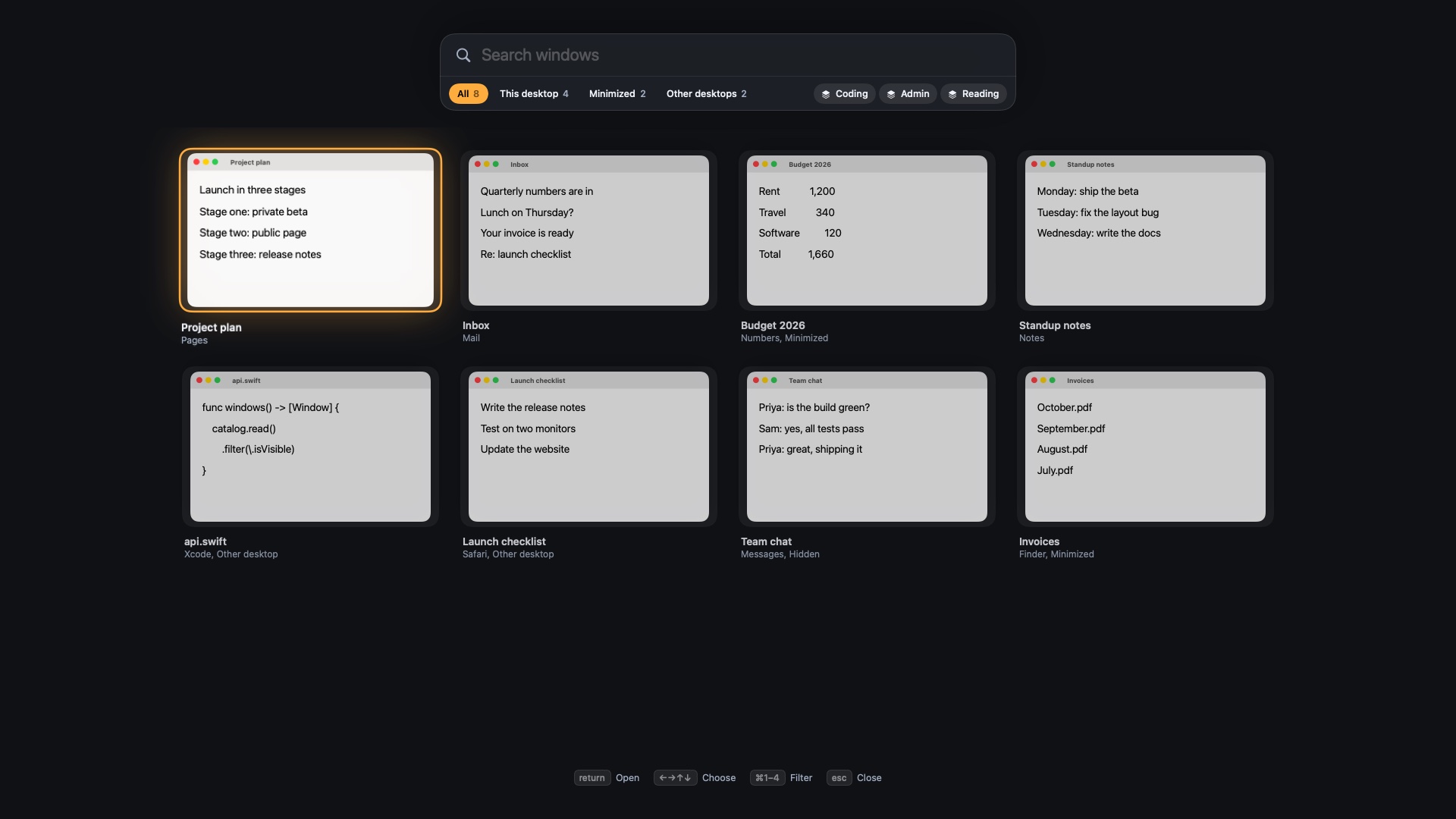
AltTab keeps a familiar pattern: hold the shortcut, press Tab until you reach the window, let go. Pro adds typing to narrow the list. Findow has three speeds. A quick tap of ⌥Tab returns to your last window. A longer hold shows each screen as a live map. If you keep holding and start typing, the map turns into a search.
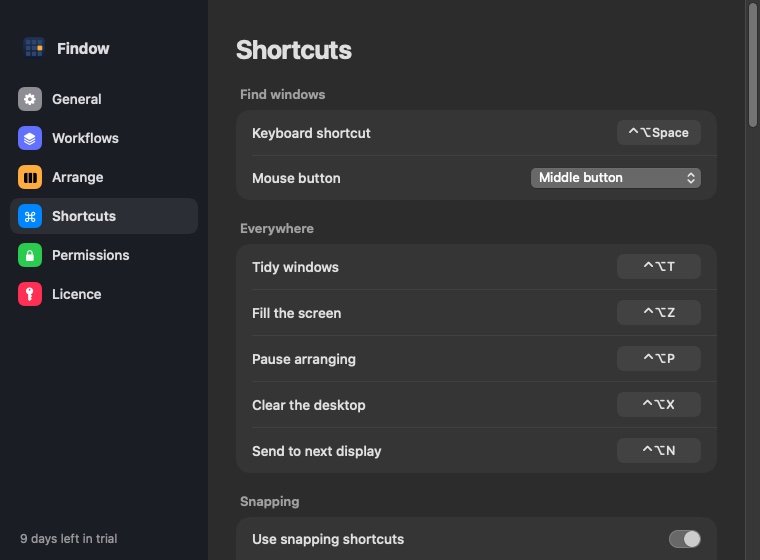
Mouse users get one more route. macOS 27 stopped accepting simulated gestures, which broke the old way of opening views from a mouse button. In Findow, the middle or a side button opens the overview directly.
Questions to ask before you change
- Do you lose time reaching windows, or setting up your desktop? If only the first, stay with AltTab.
- How many window apps do you run today? Findow gains the most if the answer is two or more.
- Do you need more than one Mac covered? Compare the licences first.
- Is your Mac on macOS 14 or later, with Apple silicon? That's where Findow has been tested so far.
The 14-day trial lets you test this on real work. Run Findow for a normal week and notice whether you reach for your old switcher. See how Mac window switching works if you're new to it.
Moving from AltTab to Findow
Findow uses ⌥Tab by default, which may also be your AltTab shortcut. Quit AltTab or change its shortcut before you try Findow. Tap ⌥Tab to jump back, or hold it to see each screen and keep holding to type a search. ⌘Tab stays as it is.
Questions
Is AltTab free?
Yes. AltTab's core app is free and open source. AltTab Pro is an optional $9.99 one-time purchase that adds search, more styles and more shortcuts.
Does AltTab show minimized windows?
Yes. AltTab shows minimized and hidden windows, and windows on other Spaces. So does Findow.
Can I run Findow and AltTab together?
Yes, as long as they don't both use the same shortcut. Change or turn off one of them, because Findow uses ⌥Tab by default.
Does Findow have a free trial?
Yes. Every feature is free for 14 days, with no account and no card. There's also a 14-day refund after you buy.
Try Findow free for 14 days
Every feature, with no account and no card. Then $19.99 once, with a 14-day refund. For macOS 14 or later.
Download Findow