niri keybindings on a Mac
By Sheik Ahamed, who makes Findow. Checked on 31 October 2026. All guides
Short answer: niri doesn't run on macOS, so its keybindings can't be installed on a Mac. You can keep most habits, though. Findow's Scrolling strip has its own shortcuts for moving focus, moving columns, changing widths and more, and you can rebind them.
Findow isn't a port of niri. It's our own Mac app, and it has a strip mode with similar ideas. The table below only lists shortcuts that exist in Findow today. Where nothing matches, we say so.
Before you start
- Install Findow and open Settings > Arrange.
- Choose Scrolling strip. The strip keys only work in this mode. With arranging off, ⌃⌥← is Left half instead.
- Quit any other window manager, so the two don't fight.
niri's Mod key is Super on a TTY, or Alt when nested in another desktop. Findow's strip uses ⌃⌥ instead, because ⌘ is taken by so much of macOS. Think of ⌃⌥ as your Mod key.
Moving around
| niri default | What it does | Findow on the strip |
|---|---|---|
| Mod+H or Mod+Left | Focus column left | ⌃⌥← |
| Mod+L or Mod+Right | Focus column right | ⌃⌥→ |
| Mod+K or Mod+Up | Focus window up | ⌃⌥↑ |
| Mod+J or Mod+Down | Focus window down | ⌃⌥↓ |
| Mod+Home | First column | ⌃⌥⌘← |
| Mod+End | Last column | ⌃⌥⌘→ |
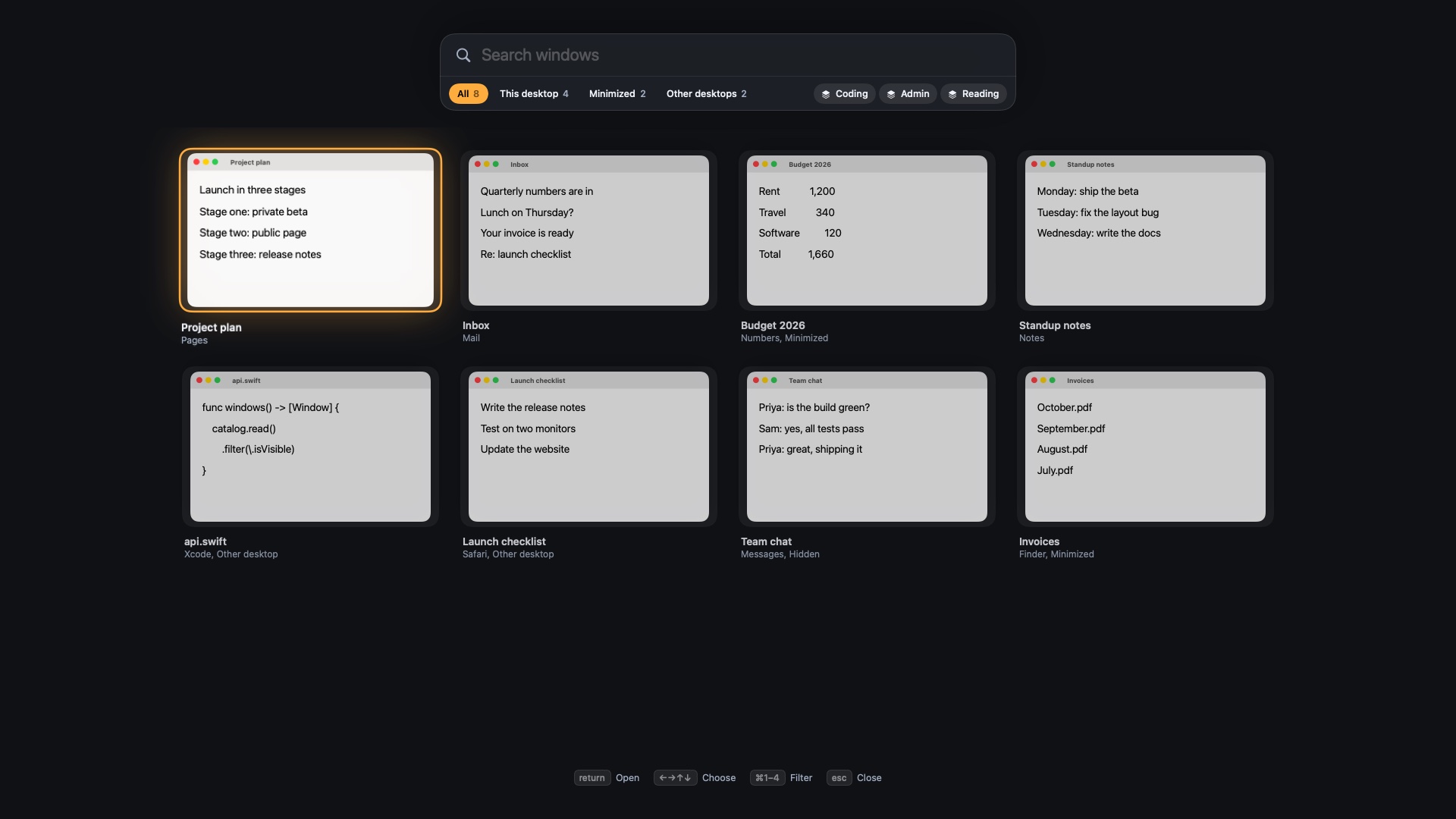
| Tap Mod | Overview | Hold ⌃⌥ for a map, or ⌃⌥Space |
Moving windows
| niri default | What it does | Findow on the strip |
|---|---|---|
| Mod+Ctrl+H | Move column left | ⌃⌥⇧← |
| Mod+Ctrl+L | Move column right | ⌃⌥⇧→ |
| Mod+BracketLeft or Mod+Comma | Pull a window into a column | Stack into left column, ⌃⌥]; Stack into right column, ⌃⌥[ |
| Mod+BracketRight or Mod+Period | Push a window out of a column | Pop out to left, ⌃⌥⇧[; Pop out to right, ⌃⌥⇧] |
| Mod+W | Tabbed column | ⌃⌥⇧T |
| Mod+V | Floating window | ⌃⌥⇧F |
Sizing
| niri default | What it does | Findow on the strip |
|---|---|---|
| Mod+R | Next preset width | ⌃⌥R |
| Mod+F | Maximize column | ⌃⌥F |
| Mod+C | Center column | ⌃⌥C |
| Mod+Shift+F | Fullscreen window | ⌃⌥Z fills the screen, but not as a macOS full-screen space |
| Mod+Minus | Column narrower | ⌃⌥- |
| Mod+Equal | Column wider | ⌃⌥= |
| Mod+Shift+Minus | Window shorter | ⌃⌥⇧- |
| Mod+Shift+Equal | Window taller | ⌃⌥⇧= |
| Mod+Ctrl+R | Reset window height | ⌃⌥0 gives equal heights |
niri changes widths and heights by 10 percent by default. Findow's Wider and Narrower move by 5 percent, so expect smaller steps at first. Its height keys only do something in a column with stacked windows. Findow's width steps are 25, 33, 50, 66 and 75 percent, where niri's default presets are a third, a half and two thirds.
Habits with no direct match
- Mod+T and Mod+D. Findow doesn't launch apps. Use Spotlight, or a workflow that opens them for you.
- Mod+Q. Use the normal Mac keys: ⌘W closes a window and ⌘Q quits an app.
- Mod+1 to Mod+9. niri focuses a workspace. Findow has two near matches. ⌃⌥1 to ⌃⌥9 switch workflows, which reopen apps and move windows. ⌃⌥⌘1 to ⌃⌥⌘9 jump to a place on the strip.
- Mod+Ctrl+1 to Mod+Ctrl+9. There's no key to send a column to a chosen workspace. macOS desktops work differently, and the overview only finds windows there.
- Mod+Ctrl+J and Mod+Ctrl+K. There's no key to move a window up or down inside a stack.
- Mod+Shift+H and friends. Findow has no key for focusing a monitor by direction. ⌃⌥N sends a window to the next display.
- Screenshots. Use the Mac's own screenshot keys.
Make it feel more like niri
Open Settings > Shortcuts. Each command can be changed, and each can have more than one shortcut, so you don't have to give up the defaults.
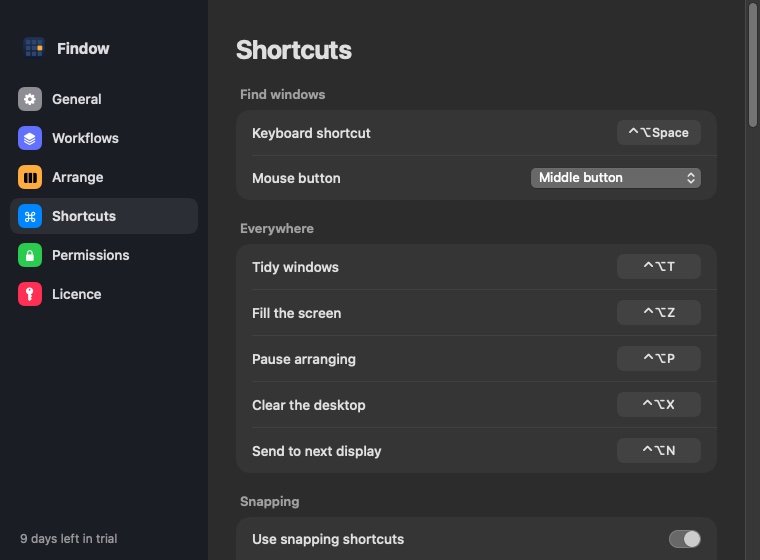
- Find Focus left and add ⌃⌥H.
- Do the same with Focus down (⌃⌥J), Focus up (⌃⌥K) and Focus right (⌃⌥L).
- Add ⌃⌥⇧H and ⌃⌥⇧L to Move left and Move right. These are easier than niri's Ctrl version, since ⌃ is already part of your modifier.
Those letters are free in the standard set. A shortcut needs at least one of ⌘, ⌥ or ⌃, unless it's on an F key. Comma, period, Home and End can't be recorded at the moment, so stick with letters, numbers, brackets and arrows.
Using a different modifier
A plain ⌥ layout is closest to the way niri feels on Alt, but take care. On a Mac, ⌥ with a letter types a special character in many apps. ⌘ with H, J, K and L has its own meanings, and ⌘H hides the app. That's why ⌃⌥ is a safe choice: very little else uses it.
Mouse and trackpad habits
niri scrolls the view with Mod and the wheel, or a three-finger swipe. In Findow, hold ⌃⌥ and use the wheel, or set Trackpad swipe to Three fingers or Four fingers in Settings > Arrange. macOS may already use that swipe to change desktops. Findow warns you if so, and you can change it in System Settings > Trackpad > More Gestures.
If you'd rather have a config file with niri-style keys, look at Paneru in our roundup of scrolling window managers for Mac. It's free, and it takes bindings such as "cmd - h" in a TOML file. To map the rest of your setup, read niri config on macOS. For help with the idea itself, see niri vs PaperWM.
Questions
Can I use niri keybindings on macOS?
niri doesn't run on macOS, so not directly. You can rebind Findow's strip commands, so ⌃⌥H, J, K and L move focus as Mod+H, J, K and L do.
What's the Mac equivalent of niri's Mod key?
In Findow it's ⌃⌥. Most strip shortcuts start with those two keys, and ⌘ is left for macOS.
Can Findow use Super or Command as its modifier?
You can record ⌘ in a shortcut, but many ⌘ keys already belong to macOS and apps, such as ⌘H to hide.
Is there a key like Mod+W for tabs?
Yes. ⌃⌥⇧T runs Stack or tabs on a strip column.
Does Findow have niri's overview?
Not the same one. Hold ⌃⌥ for a map of the strip, or press ⌃⌥Space for an overview that also searches.
Try Findow free for 14 days
Every feature, with no account and no card. Then $19.99 once, with a 14-day refund. For macOS 14 or later.
Download Findow