How to save and restore window layouts on a Mac
By Sheik Ahamed, who makes Findow. Checked on 31 October 2026. All guides
Short answer: macOS has no built-in way to save a window layout, so you need an app. Moom and Rectangle Pro bring back arrangements. Findow also reopens the apps and browser tabs in a saved workflow.
What macOS can do
Each app can reopen its own windows when you start it, and macOS can reopen apps after a restart. Neither lets you save "my coding setup" and return to it. Desktops (Spaces) help you keep things apart, but they don't save positions or reopen anything.
Moving windows vs reopening them
This is the difference to check before you pick an app.
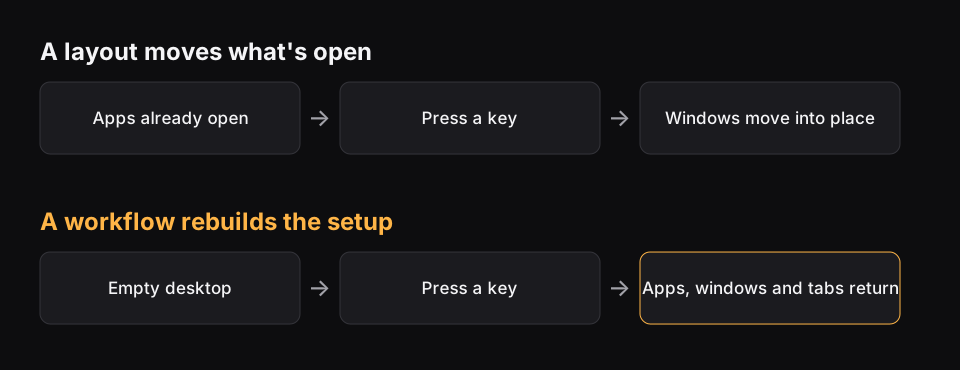
- Layouts move windows to saved positions. The apps usually need to be open already.
- Workflows also open whatever is missing, so one key takes you from an empty desktop to a full setup.
Your options
| App | Saves positions | Opens missing apps | Restores browser tabs | Price |
|---|---|---|---|---|
| Moom | Yes | Not listed | Not listed | $15 |
| Rectangle Pro | Yes, as workspaces | Not listed | Not listed | Paid, one time |
| Display Maid | Yes, by display | Not listed | Not listed | $5.99 |
| Findow | Yes | Yes | Yes | $19.99 once |
"Not listed" means the app's website doesn't mention the feature, not that the app can't do it. All names belong to their owners, and none of them is connected with Findow.
How to save a workflow in Findow
- Open the apps and windows you want, and place them where you like.
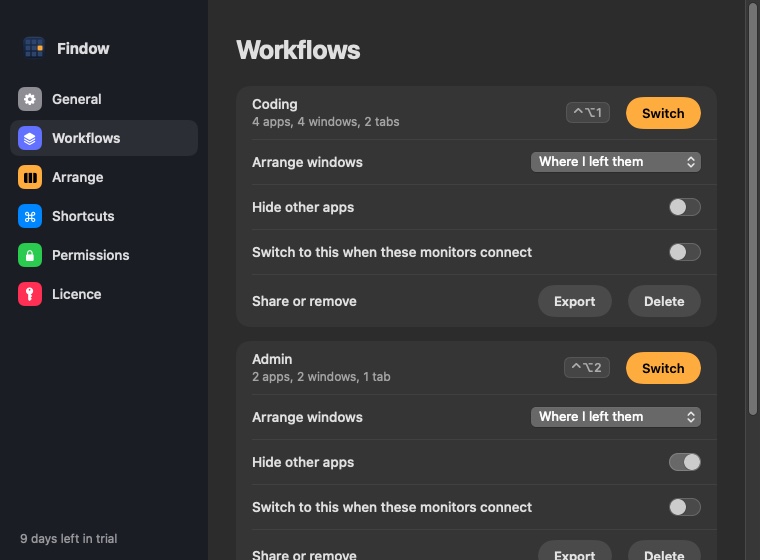
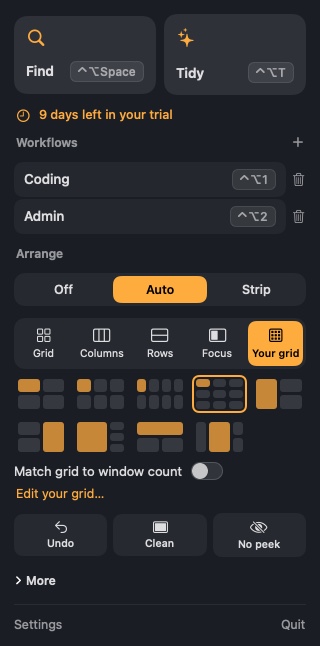
- Save a workflow from the menu bar and give it a name, such as Coding or Admin.
- Press its key, from ⌃⌥1 to ⌃⌥9, to switch to it at any time.
What a workflow brings back
- The apps you saved, reopened if they've been closed.
- Each window, back in its place.
- Tabs in Chrome, Arc, Brave and Edge. Incognito tabs are skipped.
- Safari tabs if you choose. This is off by default, because Safari can't tell Findow which windows are private.
A workflow can also hide everything else, tidy on arrival, or switch by itself when its monitors connect. You can export one to a file for your next Mac.
Findow never quits an app when you switch, so unsaved work stays safe. Apps from your last workflow stay open until you close them.
Examples of workflows worth saving
- Coding: your editor on the main screen, a terminal beside it, and your docs and pull requests in Chrome.
- Admin: mail, calendar and your task list, each in its own part of the screen.
- Calls: notes next to the video app, with everything else hidden, so nothing private shows up when you share.
- Writing: one document, one reference window and nothing else.
Start with one or two. Save the setup you rebuild most often, use it for a week, and add others when you notice yourself rearranging things by hand.
Make your saved setups last
- Save on the right screens. A workflow records the monitors it was saved on, so save it on the setup where you'll use it.
- Close extra tabs first. Everything open gets saved, so tidy up before you save.
- Check permissions. Moving windows needs Accessibility, and reading browser tabs needs Automation. If a workflow can't find your tabs, look in System Settings under Privacy & Security.
- Back them up. Export your workflows to a file before you move to a new Mac.
What about restarting your Mac?
When you shut down, macOS offers to reopen windows when you log back in. Keep that box ticked if you like to pick up where you left off. It brings back what was open, with many apps restoring their own windows, but you can't choose between setups, and browsers handle tabs in their own way. Chrome and Safari each have a setting to reopen your last session.
Think of it this way. Reopening at login gives you yesterday's desktop. A saved workflow gives you the desktop you chose for a task. If you do one kind of work, the built-in option may be enough. If you move between kinds of work during the day, you'll want something you can trigger with a key. A window manager can also help, and our list of Mac window managers sorts them by how they work.
Why not use Spaces?
Spaces are good for keeping tasks apart while your Mac is on. You might keep mail on one desktop and code on another. But they don't rebuild anything. Quit the apps or restart, and you have to put them back by hand. Many people use both: Spaces to separate tasks during the day, and a workflow to bring a setup back in the morning.
Which should you use?
If your apps are always open and you only want them moved, Moom or Rectangle Pro will do it. If your problem is windows scattering when you unplug a monitor, read that guide. If you start each kind of work from scratch, a workflow saves the most time.
Questions
Can a Mac save window positions?
Not as a named layout. macOS can reopen an app's windows, but you need a third-party app to save and restore an arrangement.
Can I restore Chrome tabs with my layout?
Findow workflows reopen tabs in Chrome, Arc, Brave and Edge. Incognito tabs are skipped.
Will switching workflows close my apps?
No. Findow only opens and hides apps. It never quits them, so your unsaved work is safe.
How many workflows can I have on shortcuts?
Nine, from ⌃⌥1 to ⌃⌥9.
Try Findow free for 14 days
Every feature, with no account and no card. Then $19.99 once, with a 14-day refund. For macOS 14 or later.
Download Findow