Contexts alternative for Mac: four apps to try
By Sheik Ahamed, who makes Findow. Checked on 31 October 2026. All guides
Short answer: AltTab Pro is the closest cheap replacement, Witch is the most configurable, and Findow suits you if you want search plus workflows and tiling. Before you switch, check whether Contexts still works for you.
Is Contexts discontinued?
We couldn't confirm that it is. The Contexts website still sells a licence for $9.99, offers a trial and shows version 3.9, with no end-of-sale notice. But its list of supported systems stops at Ventura, Sonoma and Sequoia, and AlternativeTo marks the app as discontinued and dates 3.9 to August 2022.
So if you're on macOS 26 or 27, test Contexts on your Mac before you buy it or rely on it.
Why people liked Contexts
Its best idea is Fast Search. Hold a key, type a few letters, let go, and you're in that window. It ranks acronym matches higher and remembers which window you picked for a query. It also has an auto-hiding sidebar that lists windows by Space.
What to look for in a replacement
If you liked Contexts, you probably care about three things. Test each app for all of them before you pay.
- Search speed. Can you type while holding a key, and does the window open when you let go? Opening a panel first adds a step.
- Matching. Contexts ranks acronyms and remembers your picks. Try a messy query with each app, and see if the right window comes up.
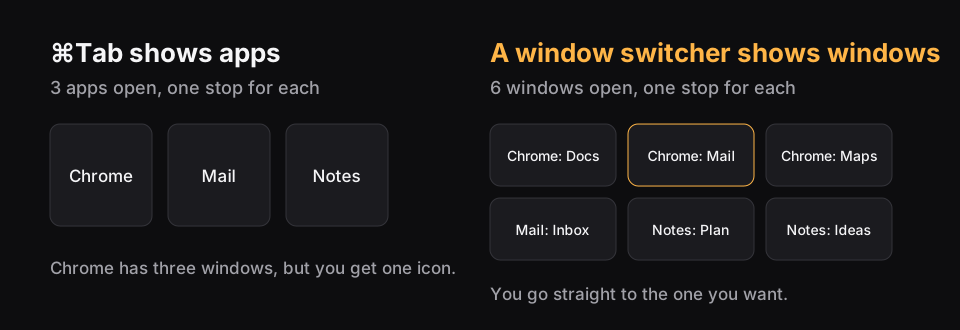
- Reach. Does it find minimized windows, and those on other desktops? ⌘Tab doesn't, so this is often why people want a switcher at all.
What about free options?
Free AltTab covers the basics: it shows every window, including those on other desktops, and it's open source. What you won't get for free is typing to search, which was the core of Contexts. That means free AltTab works best if you were mainly using Contexts as a better ⌘Tab rather than for Fast Search.
Raycast is also free to start, and it's worth trying if you already open apps with it. Check what it does on your macOS version, since its window management page doesn't describe window search. Mac's own tools won't replace Contexts, as ⌘Tab shows apps and Mission Control has no search. The built-in methods are still worth knowing as a fallback.
The alternatives
| App | Price | Search by typing | Also does |
|---|---|---|---|
| AltTab Pro | $9.99 once | Yes | Thumbnails, several styles |
| Witch | $14 | Yes | Switches tabs, runs several switchers |
| Raycast | Free to start | Not listed on its window page | Launcher, window commands |
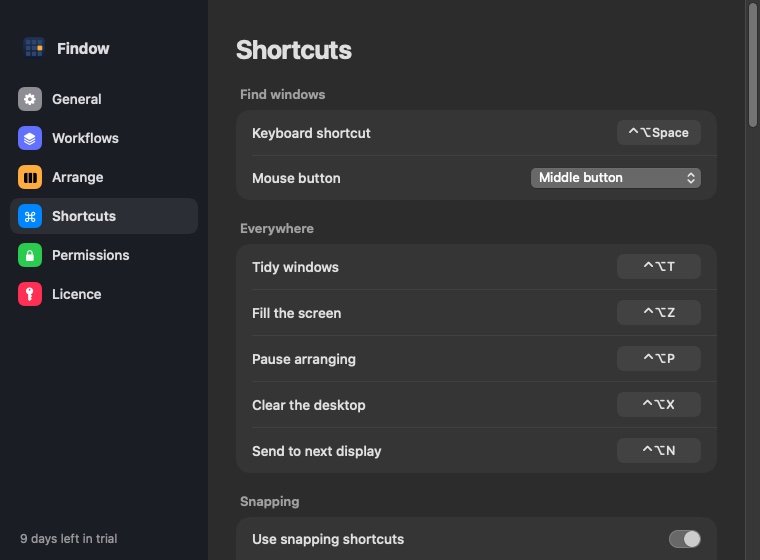
| Findow | $19.99 once | Yes, while you hold ⌥Tab | Workflows, tiling, strip |
AltTab Pro
This is the nearest thing at the same price. The free app shows every window, and Pro adds search. It needs macOS 12 or later. Read how it compares with Findow.
Witch
Witch 4.7 suits people who like to configure things. You can run several switchers with their own sort order and layout, switch to tabs, and act on windows with keys such as H to hide and M to minimize. It works from macOS 10.13.
Raycast
If you already use Raycast as a launcher, try its window commands first. Its window management page covers moving, sizing and switching displays. It doesn't mention window search, so test that if it's your main need.
Findow
Findow is closest to Fast Search in feel: hold ⌥Tab, type, let go. It lacks a Contexts-style sidebar. In exchange, the same app brings back whole workflows and tiles your windows. It needs macOS 14 or later, and it's free for 14 days.
How to move over without losing your rhythm
Muscle memory is the hard part. Contexts users often use Fn or a hold key, so changing app means changing habit. Three things make it easier.
- Quit Contexts before you start a trial. Two switchers on the same key will confuse you and may conflict.
- Remap the new app to your old shortcut if you can. Every Findow shortcut can be changed in Settings, and AltTab lets you set yours too.
- Give it a full week on your normal work. Most switchers feel slow for the first day or two, simply because they're new.
Which one we'd pick
If your only need is a working replacement, start with AltTab, since the free version shows you straight away whether its style suits you. Add Pro when you want search. If you enjoy adjusting every detail, try Witch. If you've been meaning to sort out your whole window setup, Findow replaces the switcher and can also take over tiling and saved layouts. Our full list of window switchers compares them side by side.
"Not listed" means the app's website doesn't mention the feature, not that the app can't do it. All names belong to their owners, and none of them is connected with Findow.
Questions
Does Contexts work on macOS 27?
Contexts' website doesn't list it. The site names Ventura, Sonoma and Sequoia, so try the free trial on your Mac before you buy.
What's the closest app to Contexts' Fast Search?
Findow works in a similar way: hold ⌥Tab, type part of a window title or app name, and let go. AltTab Pro also searches by typing.
Is there a free Contexts alternative?
Free AltTab shows every window, though search needs AltTab Pro. Raycast is also free to start.
Try Findow free for 14 days
Every feature, with no account and no card. Then $19.99 once, with a 14-day refund. For macOS 14 or later.
Download Findow