niri vs PaperWM
By Sheik Ahamed, who makes Findow. Checked on 31 October 2026. All guides
Short answer: both put windows on a scrolling strip. niri is a complete Wayland compositor, while PaperWM is an extension that runs inside GNOME Shell. Choose PaperWM to keep GNOME, and niri for a standalone setup. Neither runs on a Mac.
The difference that matters most
PaperWM came first in this pair. niri's README says it's heavily inspired by PaperWM, and it explains why the author built something new: he wanted monitors properly separated, which PaperWM struggles with because it works inside GNOME Shell's single, global coordinate space.
That's the whole comparison in small. PaperWM adds to a desktop you already have. It's built largely on top of GNOME, so your settings, overview and extensions remain. niri replaces the desktop. You get full control of the layout, but you also take on the job of choosing a bar, a launcher and the rest of the pieces.
| niri | PaperWM | |
|---|---|---|
| What it is | Wayland compositor | GNOME Shell extension |
| Runs on | Linux | Linux with GNOME Shell |
| Install | Distro packages or build from source | extensions.gnome.org, or make install |
| Settings | KDL config file, reloads on save | Extension settings |
| Each monitor | Its own strip and workspaces | Its own workspaces |
| Tabs in a column | Yes | Not listed |
| Floating windows | Floating layout, Mod+V | Scratch layer, Super+Escape |
| Touchpad scroll | Three-finger swipe | Three-finger swipe, on Wayland |
| Default modifier | Mod (Super on a TTY) | Super |
| Runs on macOS | No | No |
"Not listed" means the app's website doesn't mention the feature, not that the app can't do it. All names belong to their owners, and none of them is connected with Findow.
Monitors
In niri, each monitor has its own strip, and windows can't spill onto the monitor next door. When you unplug a monitor, its workspaces move to another one and return when you reconnect it.
PaperWM also gives each monitor its own workspace stack. If you use one screen, you may not notice any gap between them. If you use two or more, niri's clean separation is the main reason people move to it.
Workspaces
niri stacks workspaces vertically on each monitor, and they're dynamic: there's always an empty one at the bottom. You move between them with Mod+U and Mod+I or by number. PaperWM switches with Super+PageUp and Super+PageDown.
Keys and gestures
Both lean on one main modifier. In niri, Mod+H and Mod+L move focus left and right in the default config, and the arrow keys work too. PaperWM uses Super+Left and Super+Right, with Super+Return to open a window. You can change the keys in both.
On a touchpad, a three-finger swipe sideways moves the strip in both. In niri, a three-finger vertical swipe switches workspaces, and a four-finger vertical swipe opens the overview. In PaperWM, swiping up opens the GNOME Overview and swiping down opens the workspace stack. PaperWM's swipes are Wayland only.
Configuring them
niri reads a text file at ~/.config/niri/config.kdl and applies changes when you save. You can set gaps, width presets, focus rings, window rules and animations there. The file suits you if you keep your setup in dotfiles.
PaperWM keeps its options in the extension's settings, and all its keybindings can be changed there. That's friendlier at the start and less easy to copy between machines.
Extras that set them apart
PaperWM's scratch layer holds windows you want available everywhere, such as a chat app, and Super+Escape toggles it. niri has tabs inside a column, an overview that zooms out over windows and workspaces, a built-in screenshot tool and screen reader support. If one of those is part of how you work, it may settle the choice.
Which one should you pick on Linux?
- Pick PaperWM if you're happy on GNOME and want to try scrolling without changing your whole desktop. You can turn it off in the Extensions app.
- Pick niri if you use several monitors, want tabs inside columns, or prefer a config file you own.
- Stay away from either if you want a grid view of everything by default. Read what a scrolling window manager is first, because the strip isn't for everyone.
If you're on a Mac
You can't install either one. niri needs Linux and Wayland, and PaperWM needs GNOME Shell. What you can do is use a Mac tool built on the same idea. Each one borrows from a different parent:
- PaperWM.spoon takes PaperWM's name and strip to Hammerspoon. See our setup guide.
- Paneru names niri and PaperWM.spoon as inspiration and uses a config file.
- ChainYourMac is a paid, dedicated strip with a settings window.
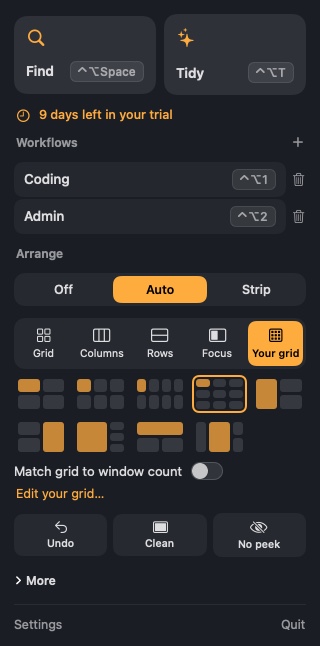
- Findow, which we make, is a window finder and workflow app with a strip mode.
Our roundup of scrolling window managers for Mac compares these four. Be clear about what doesn't carry over. macOS won't let a window sit fully off screen, so every Mac strip leaves waiting windows in a thin margin. Mac tools also move windows through Apple's Accessibility system, so they can't match a compositor that draws the screen itself. Animations, gaps and window control all have more limits.
Findow isn't a port of niri or PaperWM, and it has no config file. If you're after the keys you already know, our niri keybindings on Mac guide maps them one by one.
Questions
Is niri based on PaperWM?
It's inspired by PaperWM, but it's a separate compositor. PaperWM is an extension for GNOME Shell.
Is PaperWM a window manager or an extension?
It's a GNOME Shell extension. It adds scrollable tiling and per-monitor workspaces to GNOME.
Can I run niri or PaperWM on macOS?
No. niri needs Linux and Wayland, and PaperWM needs GNOME Shell. PaperWM.spoon is a separate Mac project.
Which is better for multiple monitors?
niri was built with this in mind. Each monitor has its own strip, and windows can't spill onto the next one.
Try Findow free for 14 days
Every feature, with no account and no card. Then $19.99 once, with a 14-day refund. For macOS 14 or later.
Download Findow