Findow vs Loop: a gesture for one window, or a system for all of them
By Sheik Ahamed, who makes Findow. Checked on 31 October 2026. All guides
Short answer: Loop is the better pick if you like moving windows with a flick of the cursor. It's free, open source and pleasant to use. Findow solves a different problem: finding windows, tiling them and bringing back saved setups. Plenty of people could use both.
Looking for an alternative to Loop?
Loop and Findow barely compete. Loop is about the moment you move a window. Findow is about everything around that moment. So the useful question isn't which is better, but what's missing from your day.
If you came here because you like Loop but want something that arranges several windows at once, keeps a setup for you or finds a buried window, read on. If you want a different way to move one window, look at Rectangle instead. It's also free, and it's closer to what Loop does. Stay with Loop if the radial menu is the part you enjoy. Findow has nothing like it.
How Loop works
You hold a trigger key and move the cursor in a direction, and the active window moves or resizes to match. A radial menu around the cursor shows the choice, and a preview window shows the result before you commit. Let go and it's done.
The trigger can be one key or a combination, chosen in the Behavior tab of Settings. The README suggests remapping Caps Lock to Control, or using Hyperkey or Karabiner-Elements if you want that key. You don't have to use the radial menu at all: it can be styled for width, shape and colour, or turned off. Keyboard shortcuts pair with the trigger key too.
Cycles let you chain several actions by pressing the same combination again, or by left-clicking repeatedly. Stash hides windows at a screen edge, and you bring them back by hovering near the edge or with a key. A loop:// URL scheme lets shell scripts and AppleScript run actions.
Loop is free under GPL-3.0 and needs macOS 13 or later. Install it with Homebrew or a .zip from the releases page. It's actively developed. The comparison table in its README marks saving a workspace as unsupported, and it doesn't mention window search or automatic tiling.
How Findow works
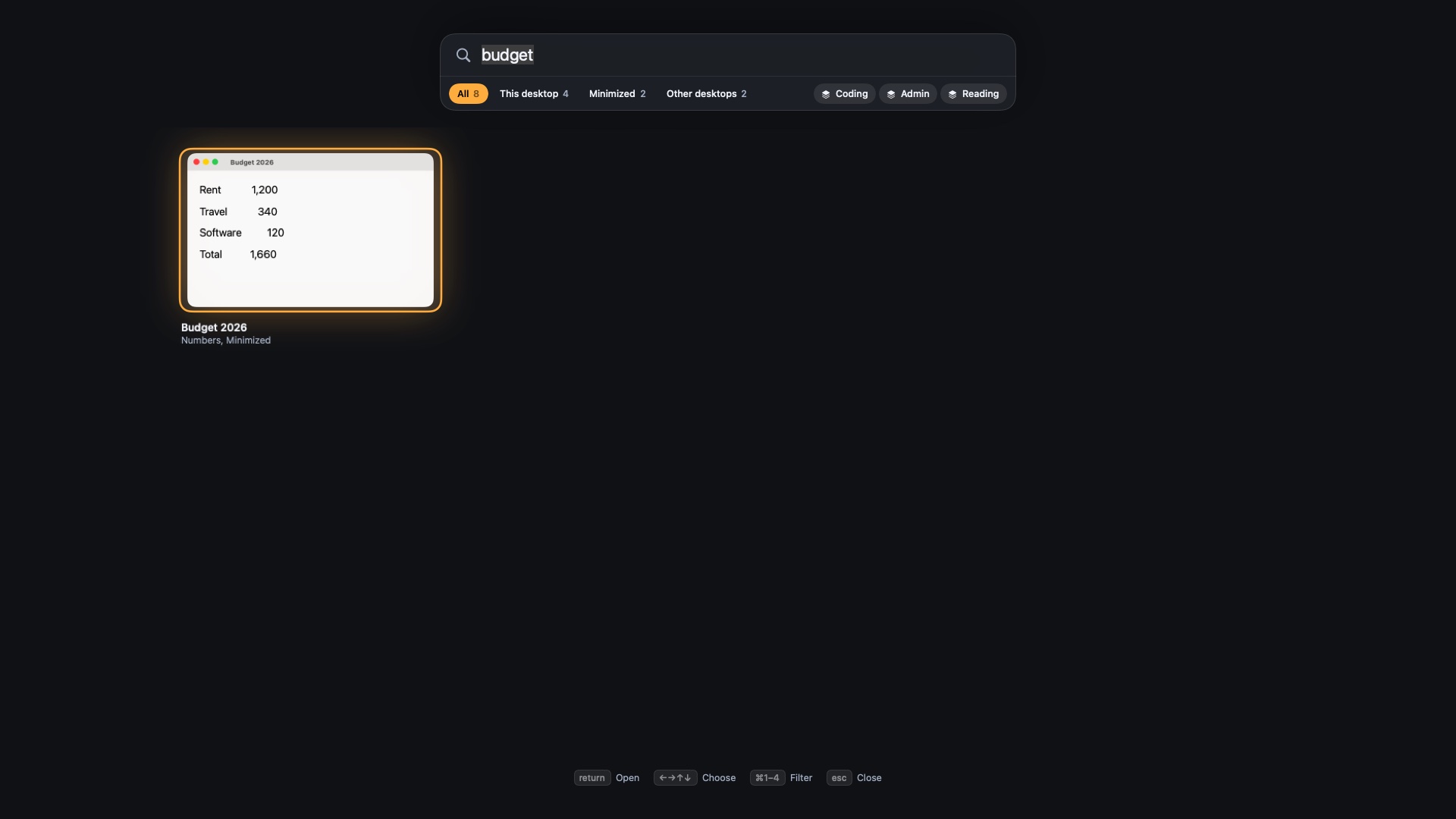
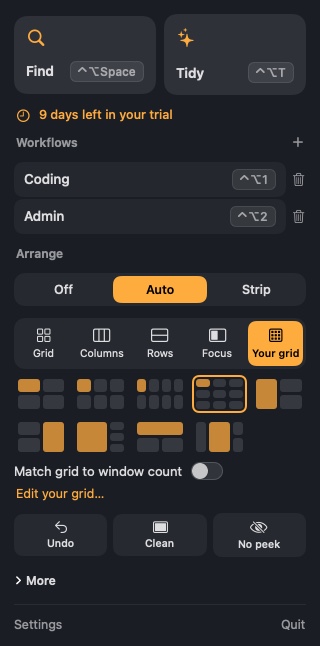
Findow works at the level of your whole desktop. Its main input is the keyboard: ⌥Tab to find a window, ⌃⌥1 to ⌃⌥9 for a workflow, ⌃⌥T to tidy. Mouse users aren't left out, though. A middle or side button can open the overview, and you click a window to go there.
With Auto arrange on, you can drag a window's edge and the grid line moves with it, or drag one tile onto another to swap them. With the strip on, hold ⌃⌥ and use the mouse wheel to move along it. So there's mouse support, but it serves the tiling and doesn't replace it with a gesture.
The core difference: direct control or managed order
Loop keeps you in charge of each window, and the result is exactly what you pointed at. It's satisfying because the action and the outcome are so close together.
Findow tries to make that action unnecessary. If windows arrange themselves, or a key brings a saved set back, you move fewer of them by hand. That's only an improvement if you dislike moving windows. Some people don't, and for them Loop is the nicer tool.
Stash and Findow's parked windows look alike but aren't. Stash hides a window you chose. In Findow, windows wait past the edge because they don't fit, and a tab at the edge shows how many. Clear the desktop (⌃⌥X) is a separate action.
Day to day
With Loop, you're mid-task and a window is in the wrong place. You hold the key, flick, and carry on. It takes under a second and never interrupts your thinking. What it won't do is help when you have twenty windows and need the one with the invoice in it.
With Findow, that's the common case. Hold ⌥Tab, type "inv", let go. If the window is minimized or on another desktop, it still turns up. When you finish a task, press the next workflow key. Your apps and positions change as a group, and Findow is built to reopen tabs in Chrome, Arc, Brave and Edge.
The two can sit side by side if you use them for different things: Loop for placing a window now and then, and Findow for search and workflows. Keep Findow's Auto arrange and strip off in that case, because they'd move what Loop just placed. Findow doesn't warn you about Loop, so that's on you. If you want both, also check that the trigger key doesn't get in the way of Findow's ⌃⌥ shortcuts. Every Findow shortcut can be changed.
Findow and Loop compared
| Loop | Findow | |
|---|---|---|
| Price | Free, open source (GPL-3.0) | $19.99 once for 1 Mac, closed source |
| Layout model | You move one window at a time | Snap keys, one-press Tidy, Auto arrange or a scrolling strip |
| Main input | Trigger key and cursor direction | Keyboard, with a mouse button for the overview |
| Configuration | Settings window, styled radial menu | Settings and the menu bar, no config file |
| Permissions | Not listed | Accessibility, Screen Recording, Automation for browser tabs |
| Multi-monitor | Not listed | Each display keeps its own layout, remembered per monitor setup |
| Spaces | Not listed | Each desktop keeps its own arrangement |
| Hiding windows | Stash at a screen edge | Clear the desktop, No peek and Clean Space |
| Saved setups | Marked as unsupported in its README table | Workflows built to reopen apps and tabs |
| Scripting | loop:// links, from shell or AppleScript | findow:// links run commands |
| Learning curve | Very short | Short, with more to learn if you want it |
| Minimum macOS | 13 | 14, only run on Apple silicon with macOS 27 so far |
| Support | GitHub | Email, 14-day refund |
"Not listed" means the app's website doesn't mention the feature, not that the app can't do it. All names belong to their owners, and none of them is connected with Findow.
Which should you pick?
Loop
If moving windows should feel direct, and you don't want to pay, start here.
- You like a mouse or trackpad gesture over a shortcut.
- You want a preview before a window moves.
- You want a free, open-source app you can restyle.
- You're on macOS 13. Findow needs 14.
Findow
If your trouble is the number of windows, not how to move one, start here.
- You need to find windows by typing, including minimized ones.
- You want saved workflows that bring back a setup.
- You want windows to tile or scroll without moving each one.
- You want screen privacy keys for calls.
Findow is at version 0.1 and has only been built and run on Apple silicon with macOS 27. It's free for 14 days, and keeping Loop while you test it costs you nothing.
Questions
Is Loop free?
Yes. Loop is free and open source under GPL-3.0, and needs macOS 13 or later.
Does Findow have a radial menu?
No. Findow is keyboard-led, with mouse buttons to open the overview and drags for swapping tiles.
Does Loop save workspaces?
Its README's comparison table marks saving a workspace as unsupported. Findow workflows save apps and window positions.
Can I use Loop and Findow together?
Yes, for Findow's search and workflows. Leave Auto arrange and the strip off, and check your keys don't clash. Findow won't warn you that Loop is running.
Try Findow free for 14 days
Every feature, with no account and no card. Then $19.99 once, with a 14-day refund. For macOS 14 or later.
Download Findow