Findow vs Amethyst: always tiling, or tiling when you want it
By Sheik Ahamed, who makes Findow. Checked on 31 October 2026. All guides
Short answer: Amethyst is the better pick if you want free, always-on automatic tiling with plenty of layouts. It's been free for years and promises to stay that way. Findow suits you if you only sometimes want tiling, and also want search and workflows.
Looking for an alternative to Amethyst?
Amethyst is the gentle way into tiling on a Mac, and many people never leave. Those who do tend to have one of two complaints. Either the always-on behaviour gets in the way, because not every task suits a tiled screen, or tiling solved their layout problem but not the bigger one of finding windows and getting a setup back.
Switch if you keep turning tiling off, or keep a separate switcher and layout app beside it. Stay if you like its layouts and it hasn't let you down. Tiling is all it needs to do for you, and it doesn't cost anything.
How Amethyst works
Amethyst is a free tiling window manager along the lines of xmonad, the Linux tool, and most of its default keys mirror xmonad's. It arranges windows automatically into a layout, and you cycle through the layouts you've enabled.
The range is its best feature. Tall and Wide give you a main pane and a side stack. Then there are Tall-Right, Two Pane and Two Pane Right, three-column layouts with the main pane on the left, middle or right, Widescreen-Tall, Fullscreen, Column, Row, Floating and Binary Space Partitioning. A Custom layout, written in JavaScript, is in beta.
Setup is easy. You can use its settings window, or a YAML file at ~/.amethyst.yml or ~/.config/amethyst/amethyst.yml. If a file exists, it overrides the settings window, so don't use both by accident. The file sets modifier keys, floating apps by bundle ID, margins, focus follows mouse and more.
It needs macOS 10.15 or later and Accessibility access, and you can install it through Homebrew or a direct download. It's MIT licensed, and the README says it's free and always will be, suggesting a donation to charity instead. For keyboard navigation between Spaces, it advises turning off the macOS option that rearranges Spaces by recent use. It lists keys to throw a window to a numbered Space, and to focus up to five screens directly.
How Findow works
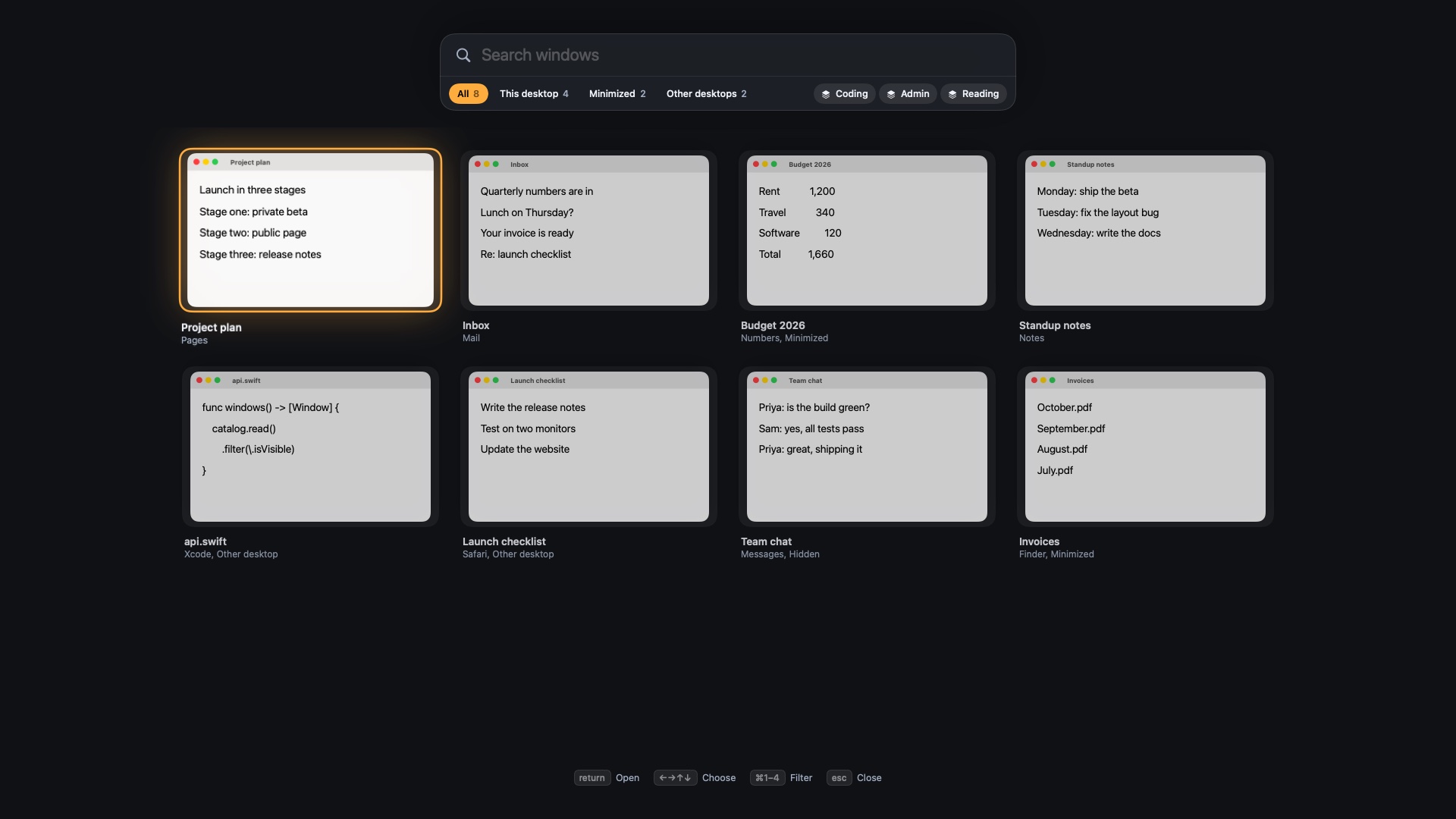
Findow turns the idea around. By default it doesn't arrange anything. You get a search-first switcher on ⌥Tab, snapping keys, and one key, ⌃⌥T, that tidies the current desktop until you press it again.
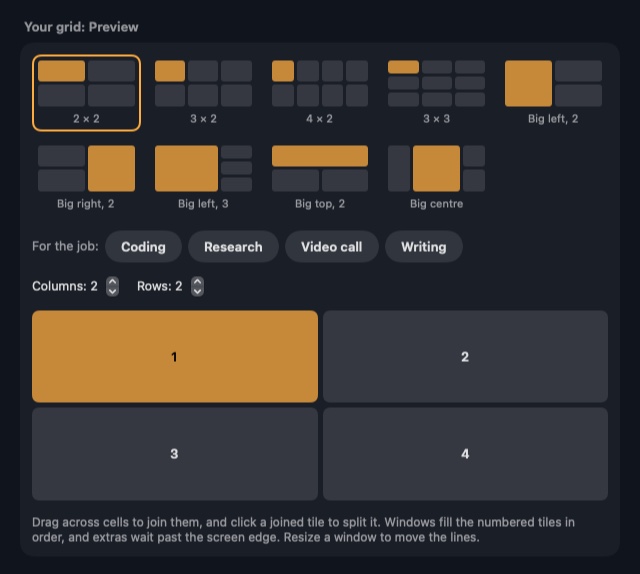
When you want more, Auto arrange does what Amethyst does: new windows take a place as they open, and the rest close the gap. It has fewer layouts: Grid, Columns, Rows and Focus, plus a grid you draw. You can give the main window half, 60% or two thirds of the screen. The Scrolling strip is the other option, for people who'd rather not shrink anything. Each display keeps its own layout, and you can turn arranging off for a display from the menu bar.
The core difference: tiling as the app, or tiling as an option
Amethyst is built around one idea, and it's a good one. Your screen is always full, and you steer it with keys. Findow treats tiling as a mode you can leave. You can tidy once before a meeting and go back to free windows, or press ⌃⌥P to pause when a task needs overlap.
That's why the two feel different even when both are tiling. Amethyst has more layouts and more years behind it. Findow knows less about layouts and more about the rest of your desktop: it finds minimized windows, undoes arrangements step by step with ⌃⌥U, and learns each app's smallest size so a stubborn app doesn't break the grid.
Findow isn't an xmonad port, and Amethyst's main-pane keys and layout names don't carry over. You'd need to learn its shortcuts, or set your own in Settings.
Day to day
With Amethyst, you open an app and it slots in. You shrink or grow the main pane, swap a window into it, and cycle layouts when the screen needs something else. A floating list keeps apps that dislike tiling out of the way. When something's lost, though, you'd reach for Mission Control or another tool.
With Findow, the same flow works in Auto arrange, and extra windows can wait past the screen edge or stack with tabs after two, three, four or six windows. You can drag one tile onto another to swap them. The difference shows up when you change task. Press a workflow key and Findow brings back that set of apps and positions, and it can hide the rest. It's built to reopen tabs in Chrome, Arc, Brave and Edge. See how saved layouts and workflows differ.
Findow and Amethyst compared
| Amethyst | Findow | |
|---|---|---|
| Price | Free and open source (MIT) | $19.99 once for 1 Mac, closed source |
| Layout model | Over a dozen named layouts, including Tall, Wide and BSP | Grid, Columns, Rows, Focus, your own grid, or a scrolling strip |
| Custom layouts | JavaScript, in beta | Draw on a grid, up to 6 columns by 4 rows |
| Configuration | Settings window or YAML file, the file wins | Settings and the menu bar, no config file |
| Default state | Tiling is the point of the app | Off until you choose a mode |
| Permissions | Accessibility | Accessibility, Screen Recording, Automation for browser tabs |
| Multi-monitor | Keys to focus screens and throw windows | Each display keeps its own layout, remembered per monitor setup |
| Spaces | Works with native Spaces, keys to throw windows | Each desktop keeps its own arrangement |
| Scripting | Not listed | findow:// links run commands |
| Learning curve | Moderate, xmonad-style keys | Short, it works once you pick a mode |
| Minimum macOS | 10.15 | 14, only run on Apple silicon with macOS 27 so far |
| Support | GitHub and a troubleshooting doc | Email, 14-day refund |
"Not listed" means the app's website doesn't mention the feature, not that the app can't do it. All names belong to their owners, and none of them is connected with Findow.
Which should you pick?
Amethyst
This is the natural choice if tiling is what you came for.
- You want your screen tiled all the time, for free.
- You want many layouts, or to write your own in JavaScript.
- You like xmonad's keys, or want a YAML config.
- You're on an older macOS. Amethyst runs from 10.15, and Findow needs 14.
Findow
This suits people whose problem is bigger than layouts.
- You want tiling some of the time, with a quick way back.
- You need a window switcher that also finds minimized windows.
- You want to draw a grid instead of learning named layouts.
- You want privacy keys and setups that come back with one press.
Findow warns you if Amethyst is running when you use its arranging modes. Its search and workflows can run beside Amethyst, so you could keep your tiling and add only those for a while. Bear in mind Findow is at version 0.1 and has only been built and run on Apple silicon with macOS 27. The 14-day trial is the fair way to test it, and Amethyst stays free if you decide it isn't for you.
Questions
Is Amethyst free?
Yes. Amethyst is free and open source under the MIT licence. Its README says it's free and always will be.
Does Findow tile automatically like Amethyst?
Yes, if you turn on Auto arrange. It's off by default, and it has fewer layouts than Amethyst.
What layouts does Amethyst have?
Tall, Wide, Two Pane, three-column layouts, Widescreen-Tall, Fullscreen, Column, Row, Floating, BSP and a Custom layout in beta, among others.
Can I use Findow and Amethyst together?
Yes, for Findow's search and workflows. Quit Amethyst before using Auto arrange or the strip. Findow warns you if it's running.
Is Findow an xmonad port?
No. Findow doesn't copy xmonad's keys or layouts. Every shortcut can be changed in Settings, but there's no config file.
Try Findow free for 14 days
Every feature, with no account and no card. Then $19.99 once, with a 14-day refund. For macOS 14 or later.
Download Findow