
Everyday moves
Your grid
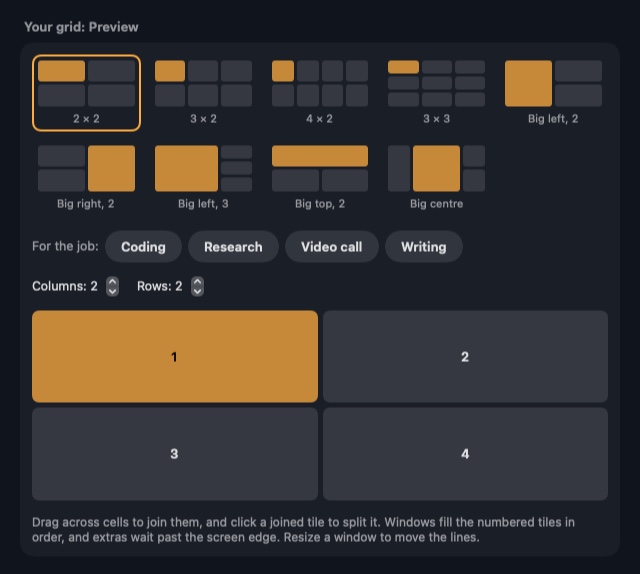
Draw your own layout, up to 6 columns by 4 rows, for each display.
Set it up
- Open the menu bar panel and choose Edit your grid.
- Use a ready-made grid, or draw your own.
- Drag across cells to join them, and click a joined cell to split it.
- Press ⌃⌥⌘5 to use your grid.
Each display can have its own grid.
How windows fill it
- The main window takes the biggest tile.
- Extra windows wait past the edge, and spare tiles close up.
- Your grid can match the number of windows open, and a grid you drew never changes shape to suit an app's minimum size.
- A window a little too big for its tile overlaps its neighbour. One far too big waits at the edge instead.
- Resizing a window moves its grid line.